Blog · November 1, 2026
Stop chasing your crew for job photos
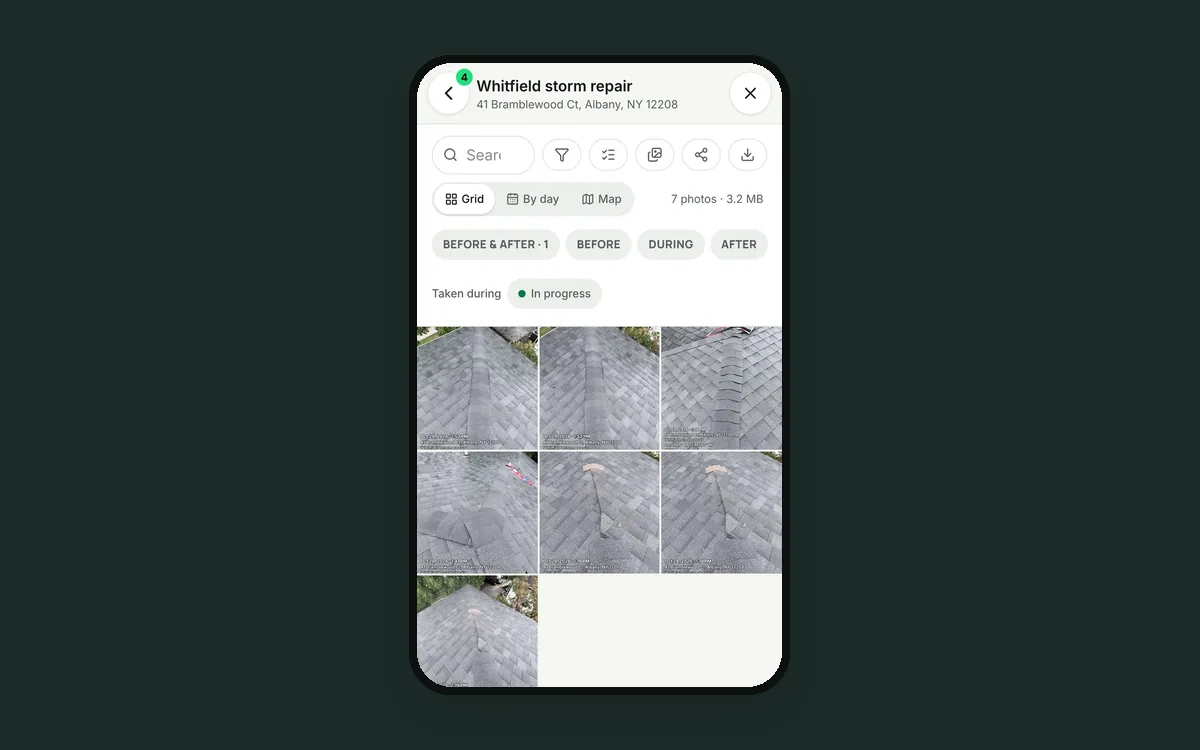
The adjuster wants every photo from the Whitfield roof by Thursday. You text the crew: "Send me your photos from Whitfield."
Luis sends 14 by text, shrunk and blurry. Marco forgets until Friday. Dave's are mixed in with his kid's soccer game, and he can't tell which Tuesday was which house. Sam spends the afternoon saving, renaming and sorting files into folders. Two shots of the flashing are missing, and the roof is closed up now.
Why it keeps happening
Your crew takes photos with the phone's own camera, so the photos are saved to the phone. Getting them to the office takes an extra step, and the extra step is the one people skip. Each phone becomes a private archive of your company's work.
It costs more than an afternoon. Missing photos lose insurance claims, weaken warranty answers and leave you with nothing to show the next customer.
How JobChalk solves it
Photos are taken inside the job. The JobChalk camera opens on the job you're standing at, and every shot is filed under that job the moment it's taken: the date and time, who took it, the phase and the tags. Nobody has to send anything.
No signal on site? Each photo is saved on the phone first and uploads by itself when signal comes back. The job shows a count of what's still waiting to upload, so nothing gets lost in a basement.
Shots don't land in the crew's personal camera roll unless the person turns that on. Their phone stays theirs, and the job photos stay with the business.
Every photo ends up in one place:
- Each job's photos, in order, with Before, During and After.
- Every photo across every job, for the office.
- Filters by phase, tag, date or who took it.
- A photo map, with pins inside and outside the job's area.
The office sees the work come in as it happens. Each camera session posts to the job chat as one bubble, so Sam knows the flashing photos exist before the roof is closed up.
When someone needs the photos, you send them in a minute, at full quality:
- A gallery link the customer or adjuster can open without an account.
- A zip download of the whole job, or just the photos you picked.
- Straight to the customer on the app they use.
- Into a report, with the date and location under each photo for insurance.
Deleted the wrong one? It waits in the Bin for 30 days.
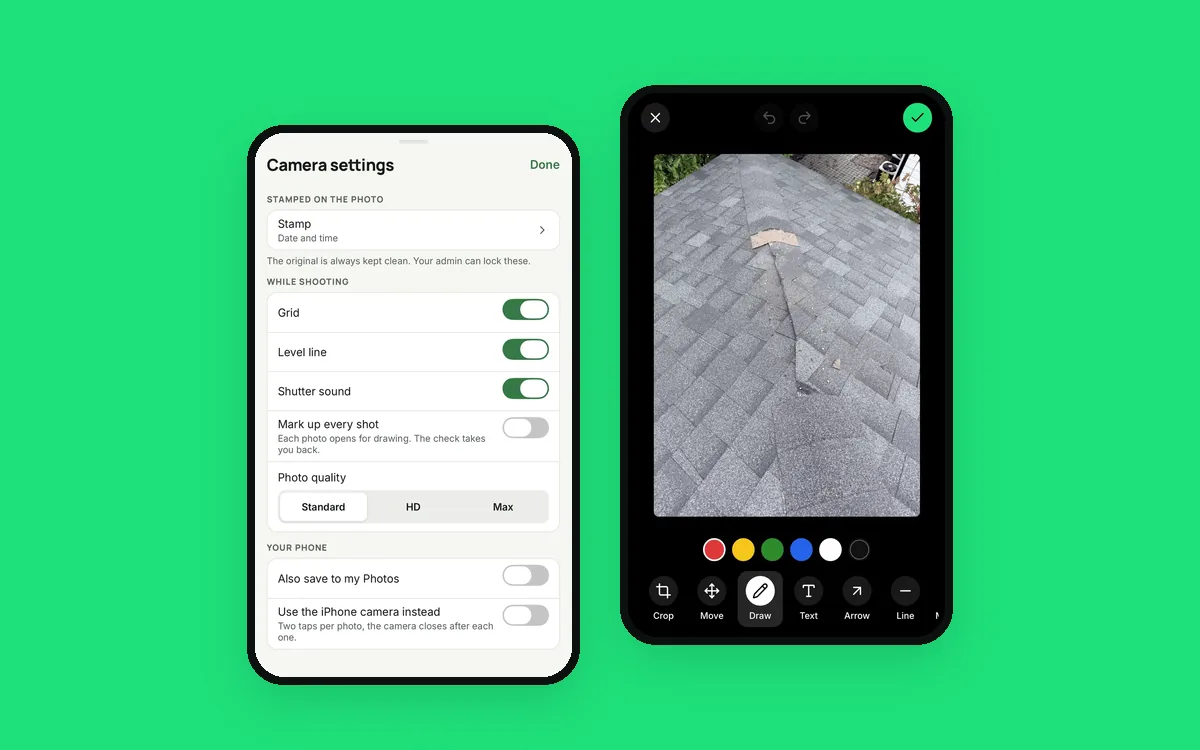 Your crew's phone camera wasn't built for a job site
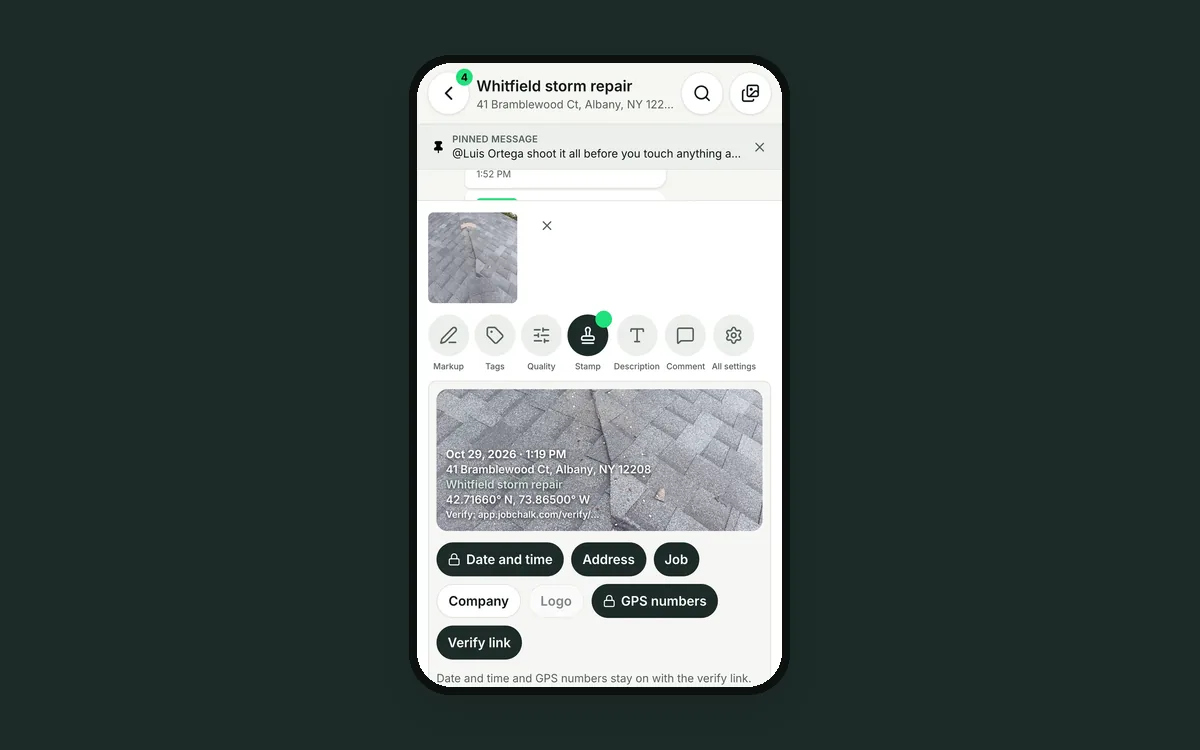 A date stamp on a photo isn't proof. A verify link is.
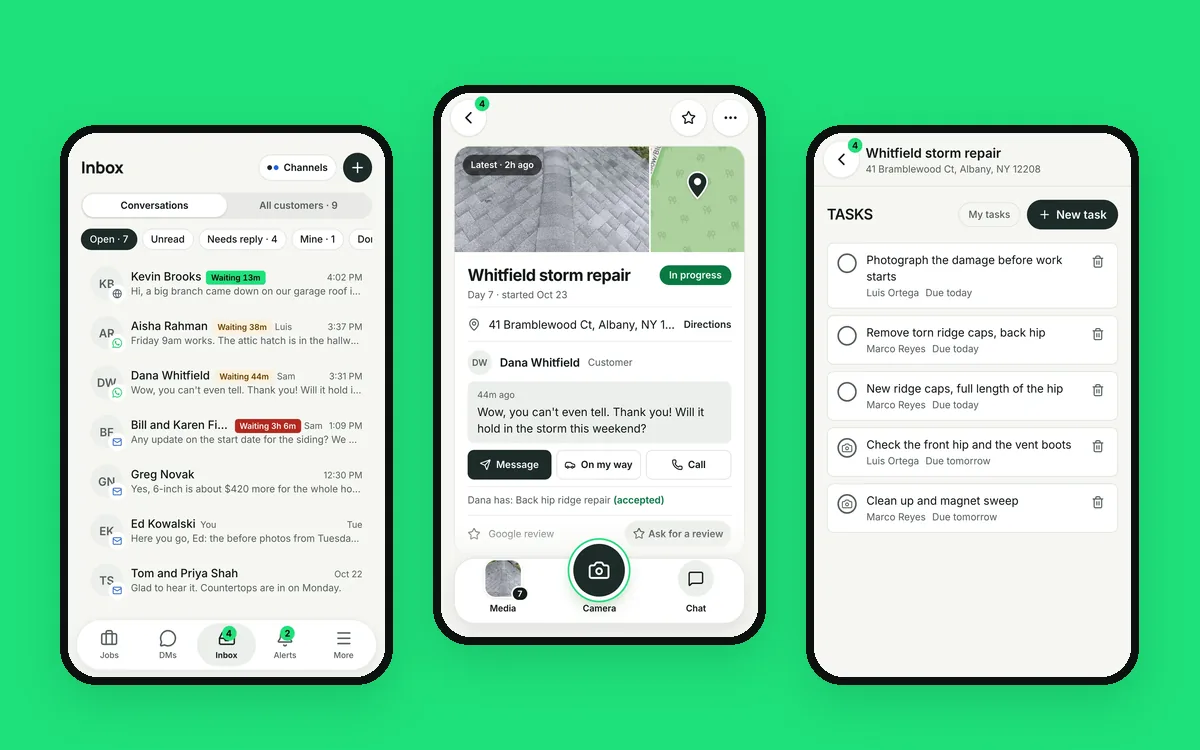 Six apps for one job is five too many