Blog · November 1, 2026
A date stamp on a photo isn't proof. A verify link is.
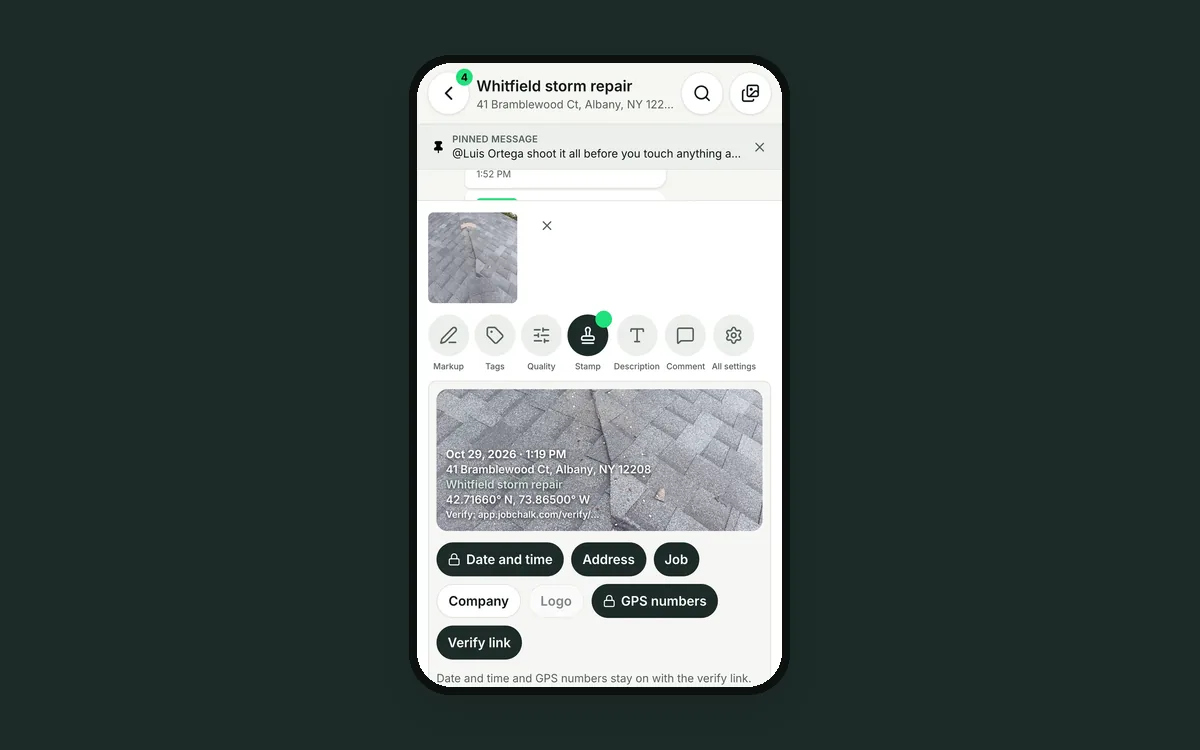
After the storm, Sam sends Dana's insurance adjuster 30 photos of the roof, each with a date and address stamped in the corner. The adjuster has seen stamps faked before. Free apps let anyone type any date and any address onto a picture. He asks for the original files with their data.
Sam emails them. The email app shrinks them and strips the data. The claim sits for another week.
Why a stamp alone proves nothing
A stamp is just text drawn on the picture. Anyone can add one, change one, or crop the damage out and stamp it again. The hidden data inside a photo file, like the time and GPS, is easy to edit and is often removed when photos are texted or emailed.
So a stamped photo asks the adjuster to trust you. Good adjusters don't.
How JobChalk solves it
When a crew member takes a photo with the JobChalk camera, the app records the time and GPS position at the moment of the shot. That record is saved on JobChalk, next to the photo, not only on the picture.
Turn on the verify link, and the stamp prints a short link on the photo. With it on, the stamp always shows the date and the GPS. The owner can lock these on, so nobody can turn them off for a job.
Anyone can check it. The adjuster opens the link. He doesn't need an account to look. The page shows:
- The business that took the photo.
- The photo as JobChalk saved it.
- The date and time it was taken.
- The GPS location where it was taken.
The page asks him to check it matches the photo he has. If someone changed the stamp, edited the picture or cropped something out, it won't match the copy JobChalk holds.
The clean original stays private. The photo you share has the stamp, and any markup, on it. JobChalk also keeps the untouched original, but never shows it on the public page. If the adjuster needs it, he signs in with a code sent to his email (no password), can add who he is and why, and sends a request. Your team sees the request on the photo and approves or declines it. Approved means that one person can download that one original. Nobody else.
Your team gets a warning too. If a photo was taken outside the job's area, or without a location, it's flagged for your team, so a mix-up is caught before the photo goes out.
Details on every photo you share. On photo links and reports, "Share photo details" prints the capture time and location under each photo, for insurance.
A few honest limits. Only photos taken with the JobChalk camera carry this record. Photos picked from the phone's library don't. And the link checks when, where and what. It doesn't replace the adjuster's judgment.
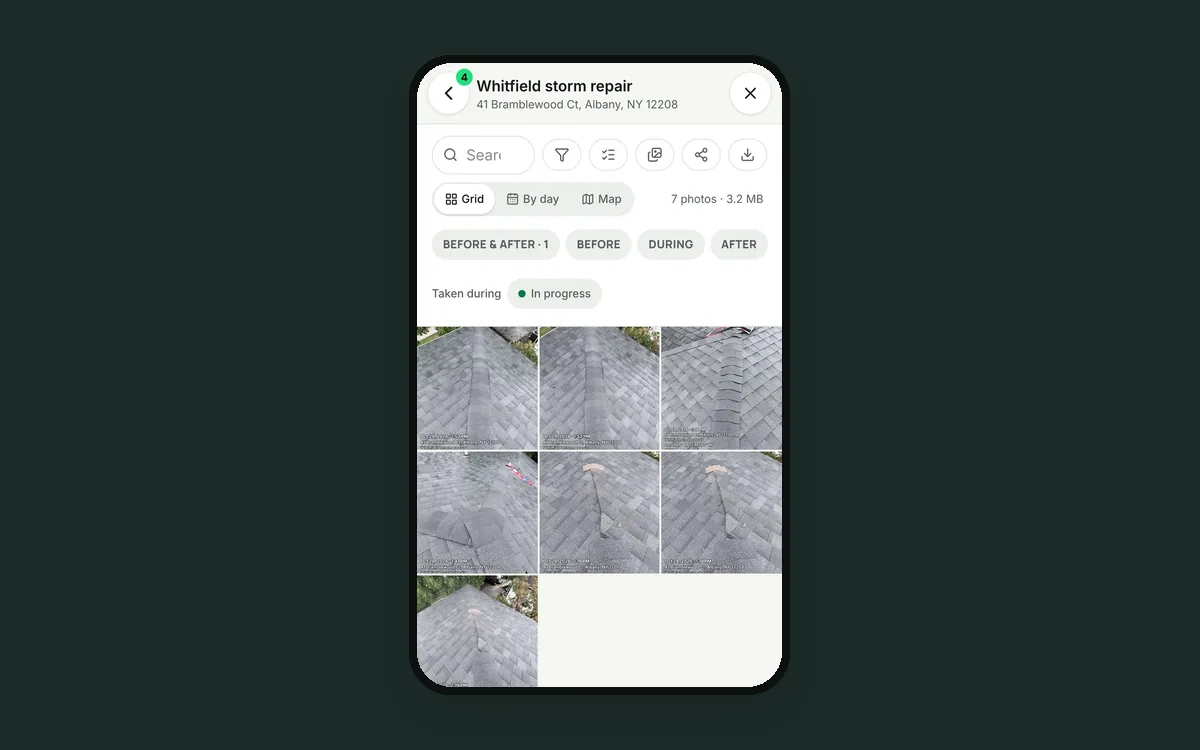 Stop chasing your crew for job photos
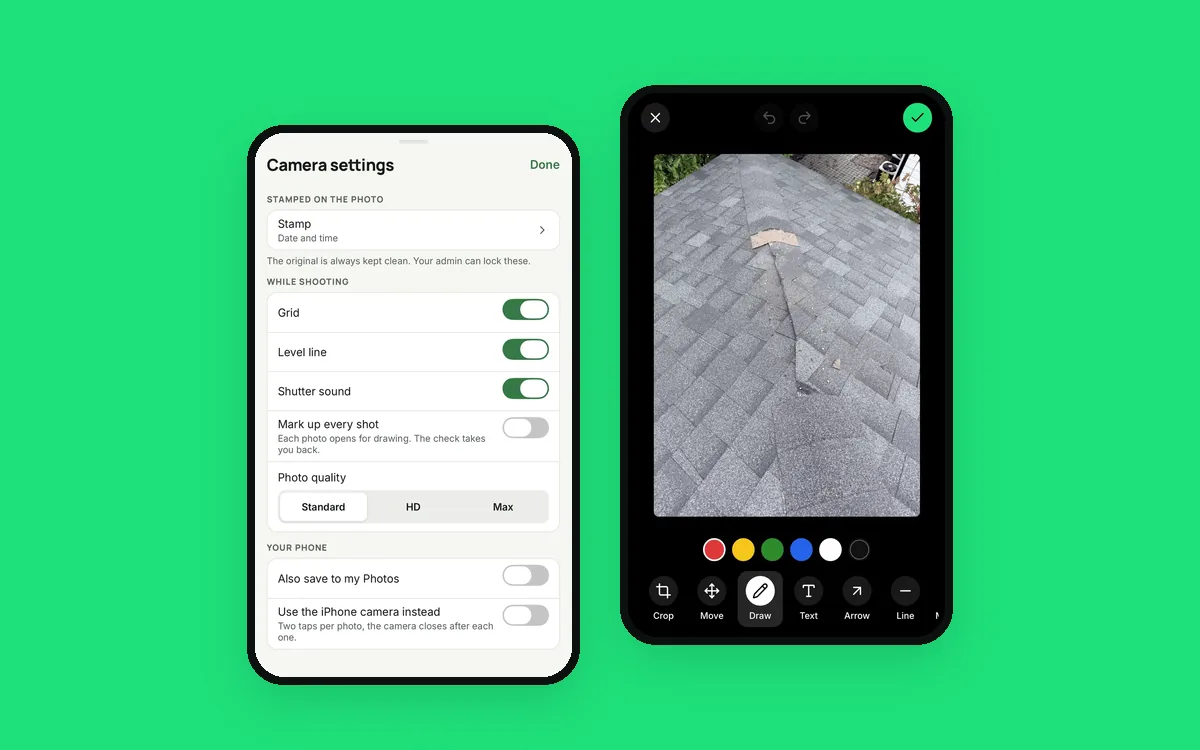 Your crew's phone camera wasn't built for a job site
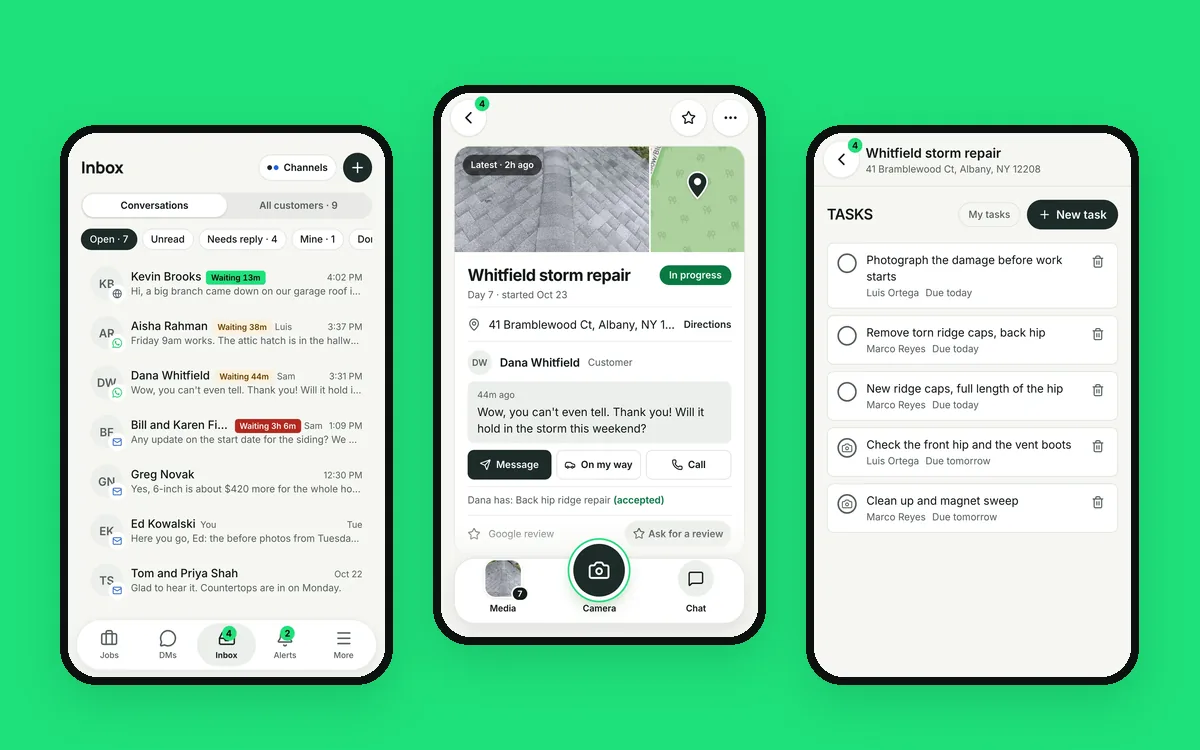 Six apps for one job is five too many