All features
Everything JobChalk does.
Eight packages, and every feature inside them, shown on a real job: the Whitfield storm repair.
Inbox
Every customer, on every app, in one inbox your whole crew shares. Each customer has one thread, and everyone on your team who talks to them talks in it.
- A new business number, or text from your current office line
- Photos go as a sharp link, not blurry MMS
- STOP and START honored, quiet hours
- "Send by text instead" when an email bounces
- Your own address and sender name; a new email starts a conversation
- Subject, Cc up to 5, your sign-off, 5-second Undo
- Attachments land in the thread and the job's photos
- Delivered, bounced, Try again; forged mail held back
- Your own domain, Gmail or Outlook
- Text, photos, videos, voice notes and files both ways
- The 24-hour window on the reply box: "18h to reply"
- An alert an hour before the window closes
- After it closes, approved notices: visit reminder, quote ready, on my way
- Sent, delivered, read; reactions; STOP honored
- Your Facebook Page messages in the same thread
- New people land as "New": Keep, Merge or Spam
- The reply window shown on the box
- DMs and story replies in the Inbox
- Comments: answer in public, or take it private
- One customer across Instagram and WhatsApp
- Each review lands in the customer's thread
- Post your reply from the Inbox
- An alert on 1 to 3 stars
- A "Message us" button for any site, your color and greeting
- A link page for your Google profile and ads
- Visitors need no account
- Customers join with an emailed code, free
- Typing and "Read"
- Their own job page: photos, reports, proposals
One thread per customer
- Every channel mixed in one conversation, in order
- An icon on every message shows the app it came on
- "Dana moved to WhatsApp" marks each switch
- Several people, phones and emails per customer
The whole crew in that thread
- Owner, office and crew lead reply in the same thread
- The customer sees one business; your team sees everything
- Nobody texts a customer from a personal phone
- Team-only notes inside the thread, with @mentions
Every lead in one place
- Website chat, email, texts and DMs all start a conversation
- New people marked "New": Keep, Merge into a customer, or Spam
- "Start a job" from the conversation, customer filled in
- Their photos into a job in one tap
Reply right
- The reply goes back on the app they used
- Switch apps in one tap, with the address on file
- Send the job's photos, before and after, report or estimate
- Saved replies with "/": first name, address, your name
Answer fast
- "Waiting 45m" on every customer: amber at 30 minutes, red at 2 hours
- The Inbox badge counts customers waiting, not messages
- An alert when someone waits too long, in business hours
- After-hours auto-reply on your business hours
Run it as a team
- Assign a conversation; that person gets an alert
- "Sam is replying" so two people don't answer
- Done when it's handled; a new message reopens it
- Reply drafts written from the real job, you approve
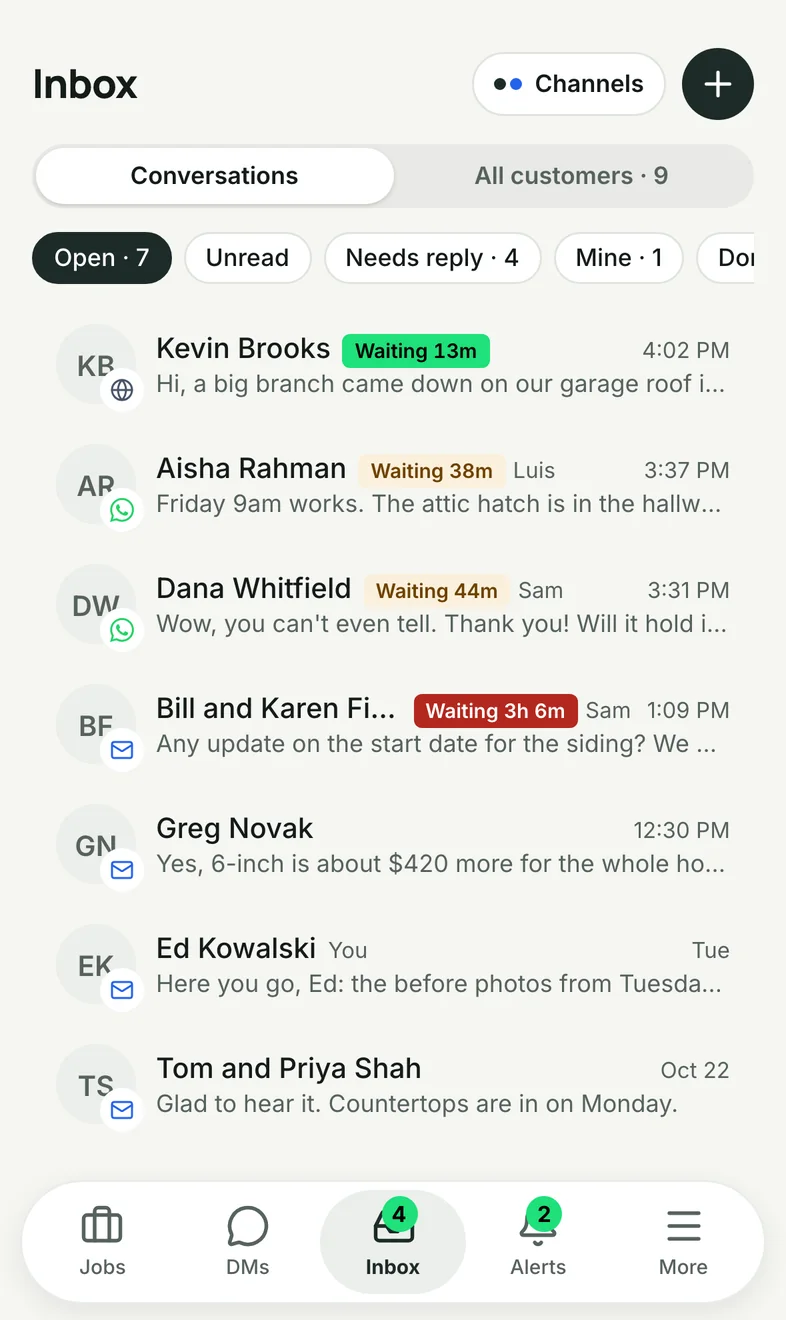
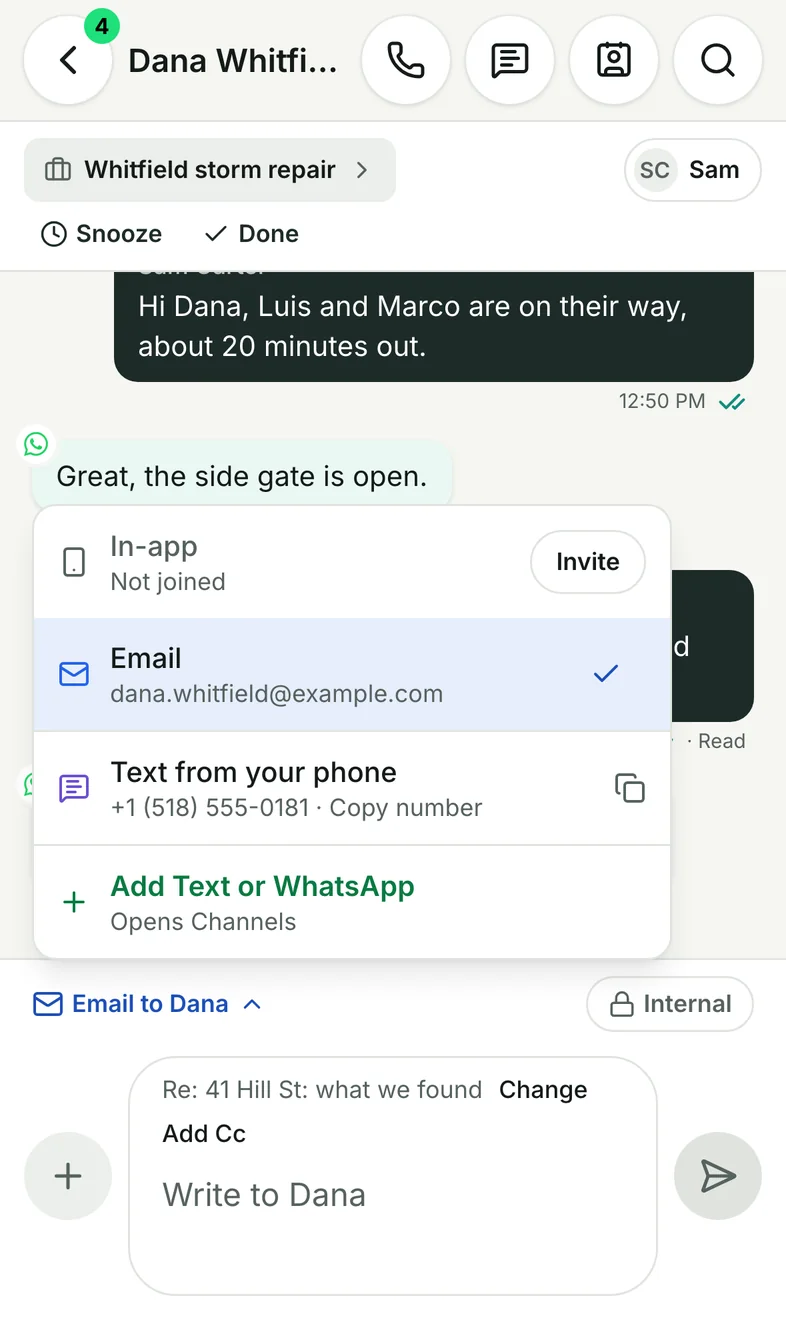
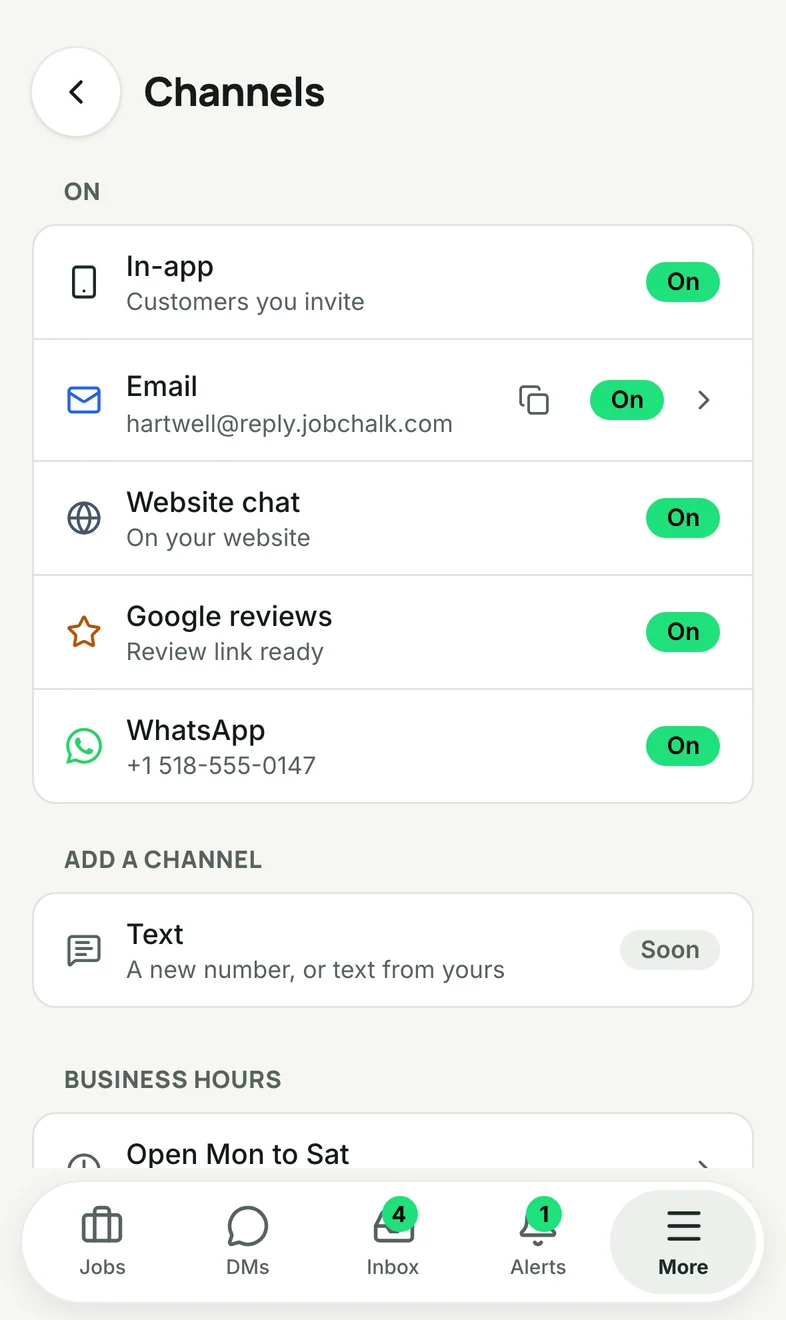
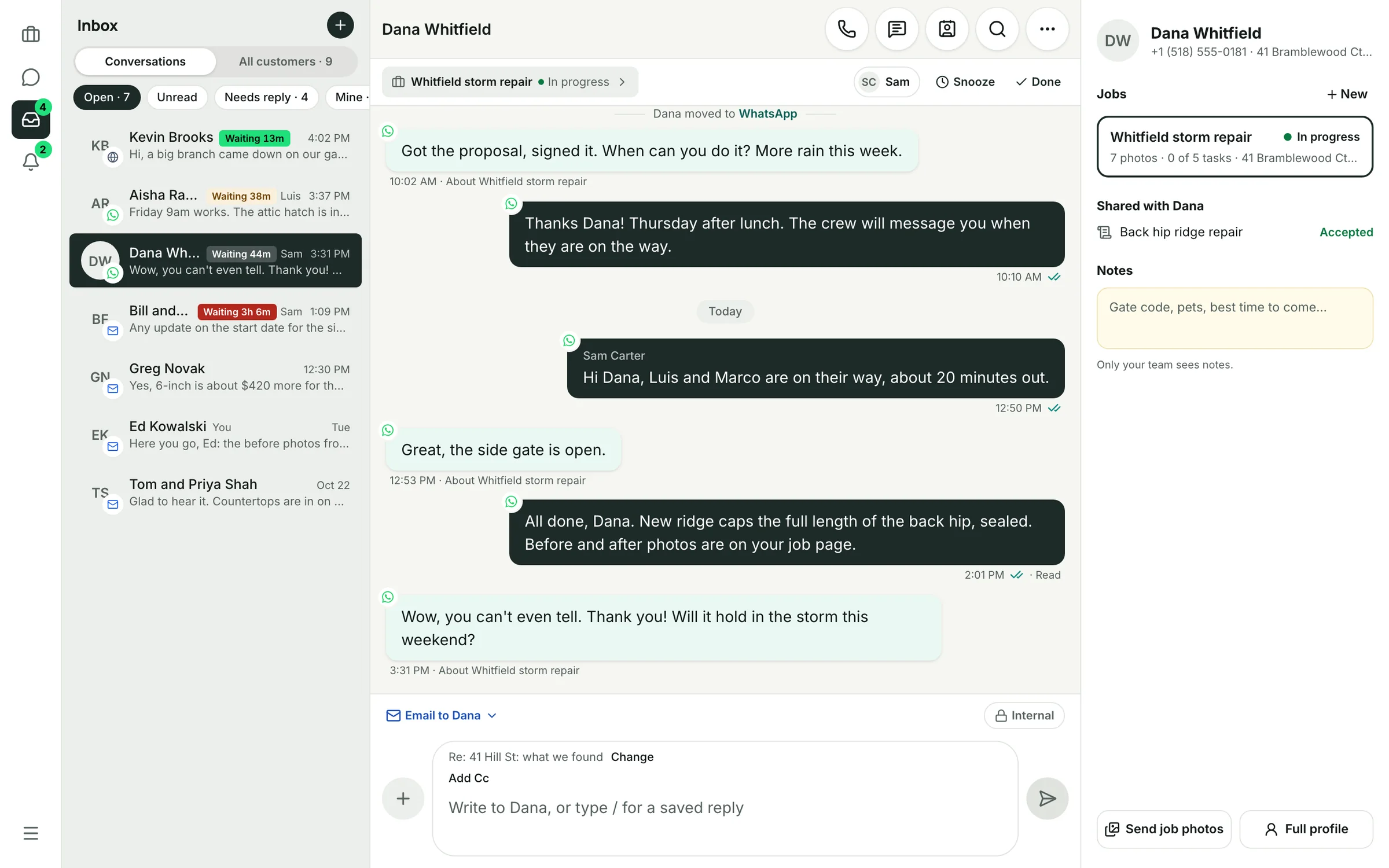
The office view: every customer, Dana's thread on her job, her jobs and notes on the right.
Camera
Every photo taken inside the job goes to the cloud under that job: stamped, tagged, backed up. Not on six phones, not lost when someone leaves, found in seconds.
Capture
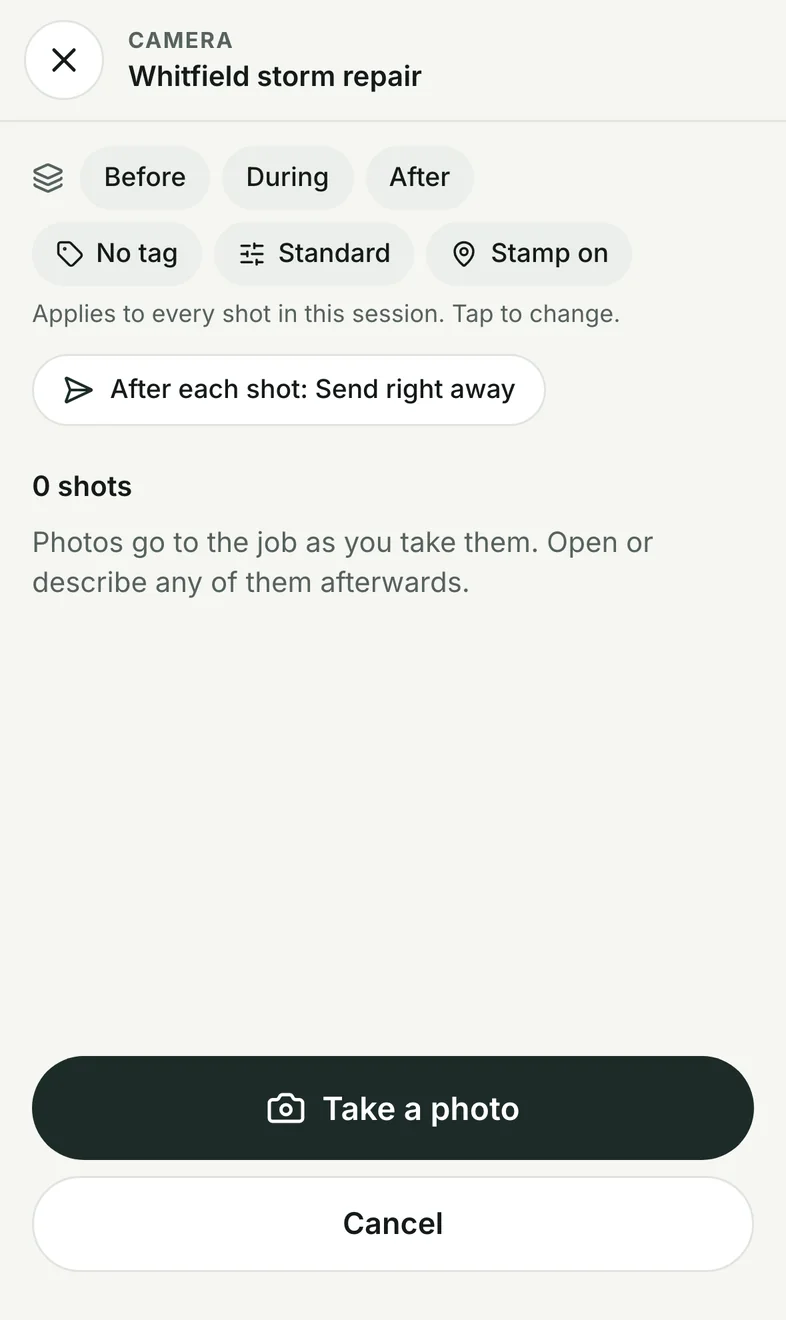
- Our own camera: one tap per shot, stays open, glove-sized buttons
- Flash, 0.5x, 1x, 2x, grid and level
- Opens on the job you're standing at
- Video up to 5 minutes, with a trimmer
- Hold the shutter to talk a description
Tag as you shoot
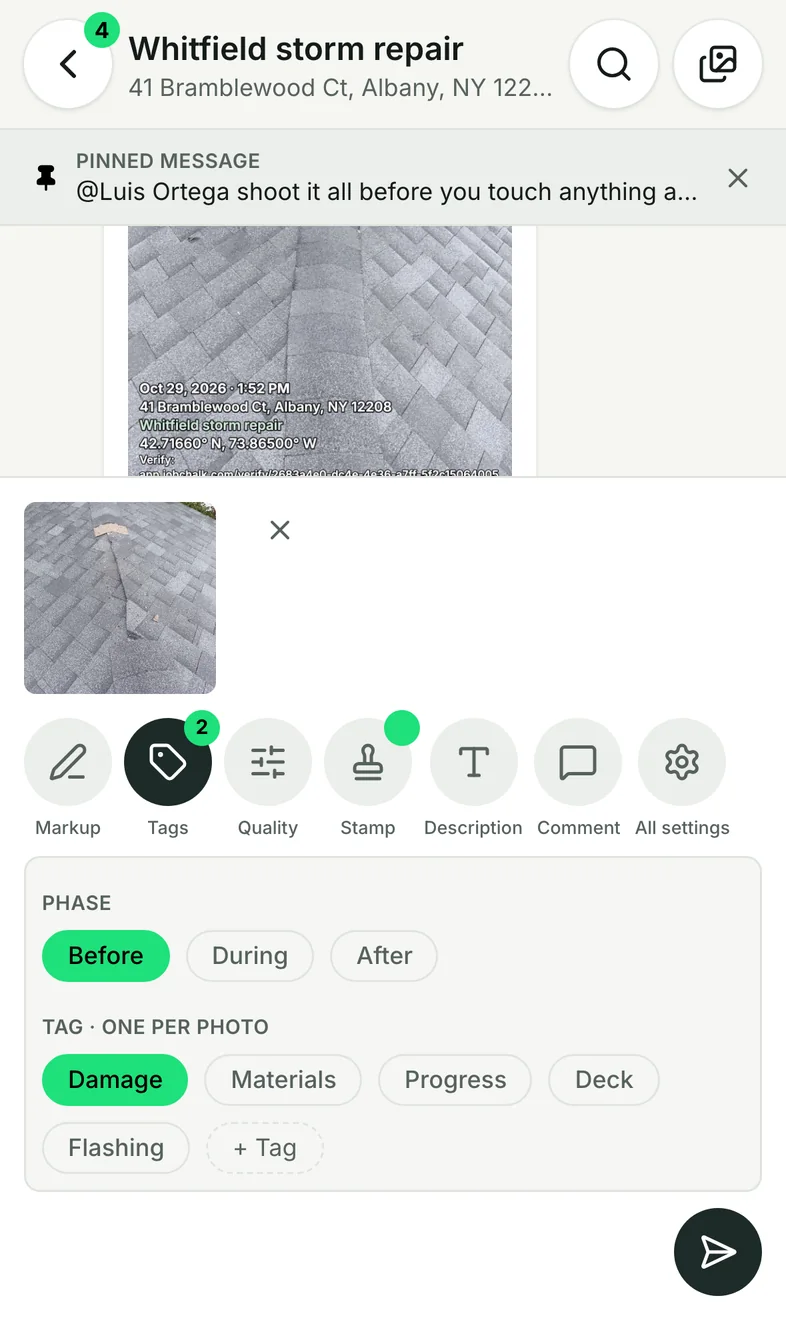
- Before, During, After in one tap
- Your own tags: one per photo, or several
- Set once, kept for the whole session
- The session posts to the job chat as one bubble
Proof on every photo
- Stamp: date, time, address, job, company, logo, GPS, verify link, a note
- The owner can lock stamp fields on
- A verify link anyone can open: when and where it was taken
- Flagged if taken outside the job's area
- The clean original is always kept
Smart shots
- Before and after ghost: line up through the Before
- Required shots from a checklist tick themselves off
- Scan a barcode or QR, or type a model and serial
- Measure lines and areas, usable in quotes
Edit
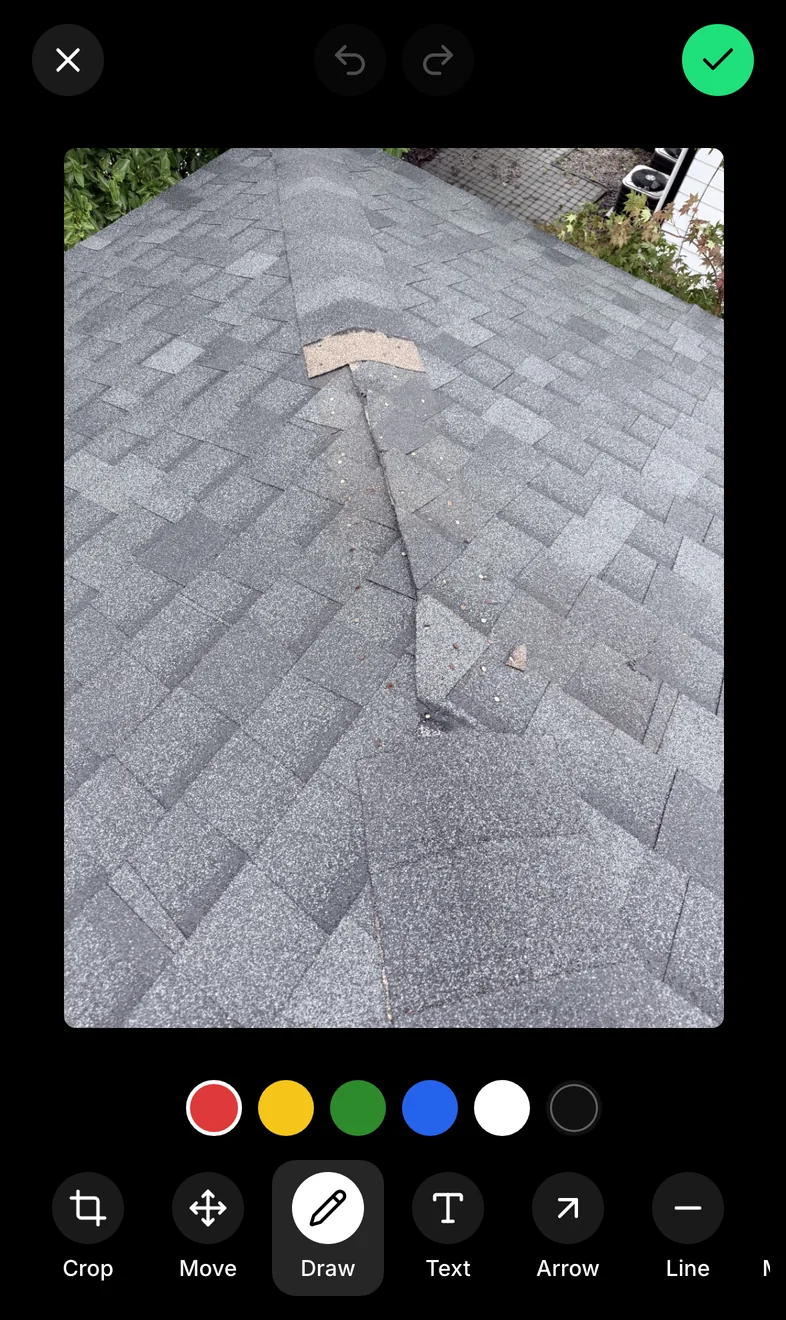
- Markup: crop, rotate, draw, text, arrows, lines
- Describe by text or voice; comments with @mentions
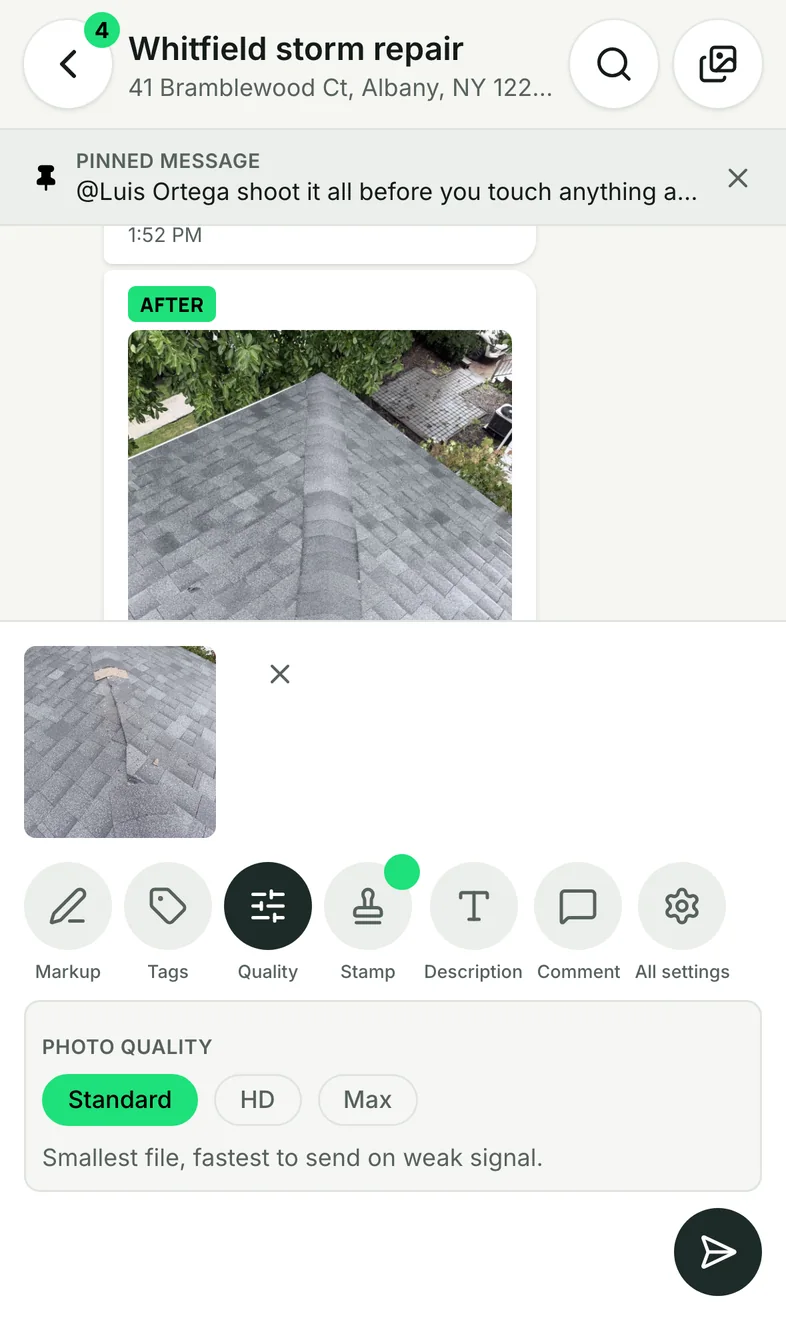
- Quality: Standard, HD or Max
In the cloud
- Saved on the phone first, uploaded when there's signal
- Every job's photos, or every photo across jobs
- Filter by phase, tag, date or who took it; photo map
- Share a gallery link; download as a zip
- Bin: 30 days to restore
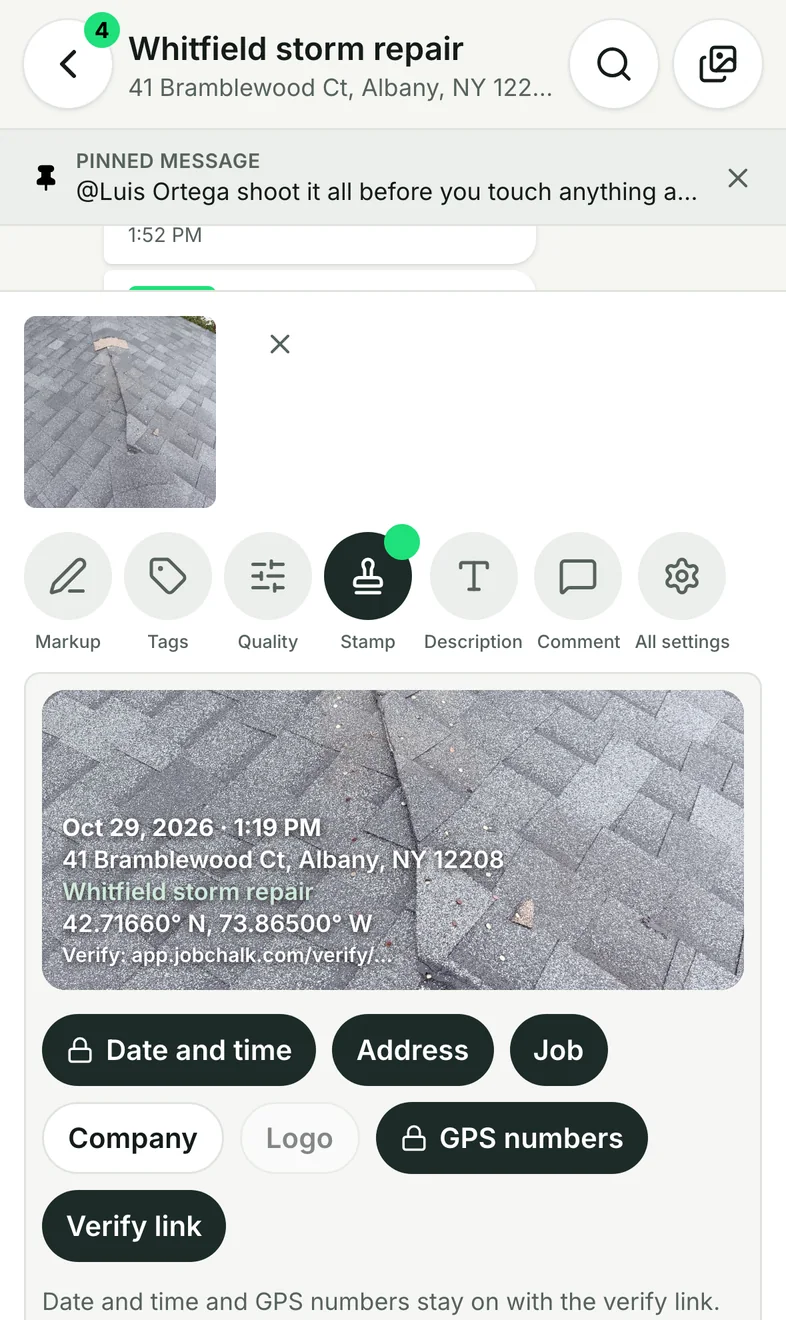
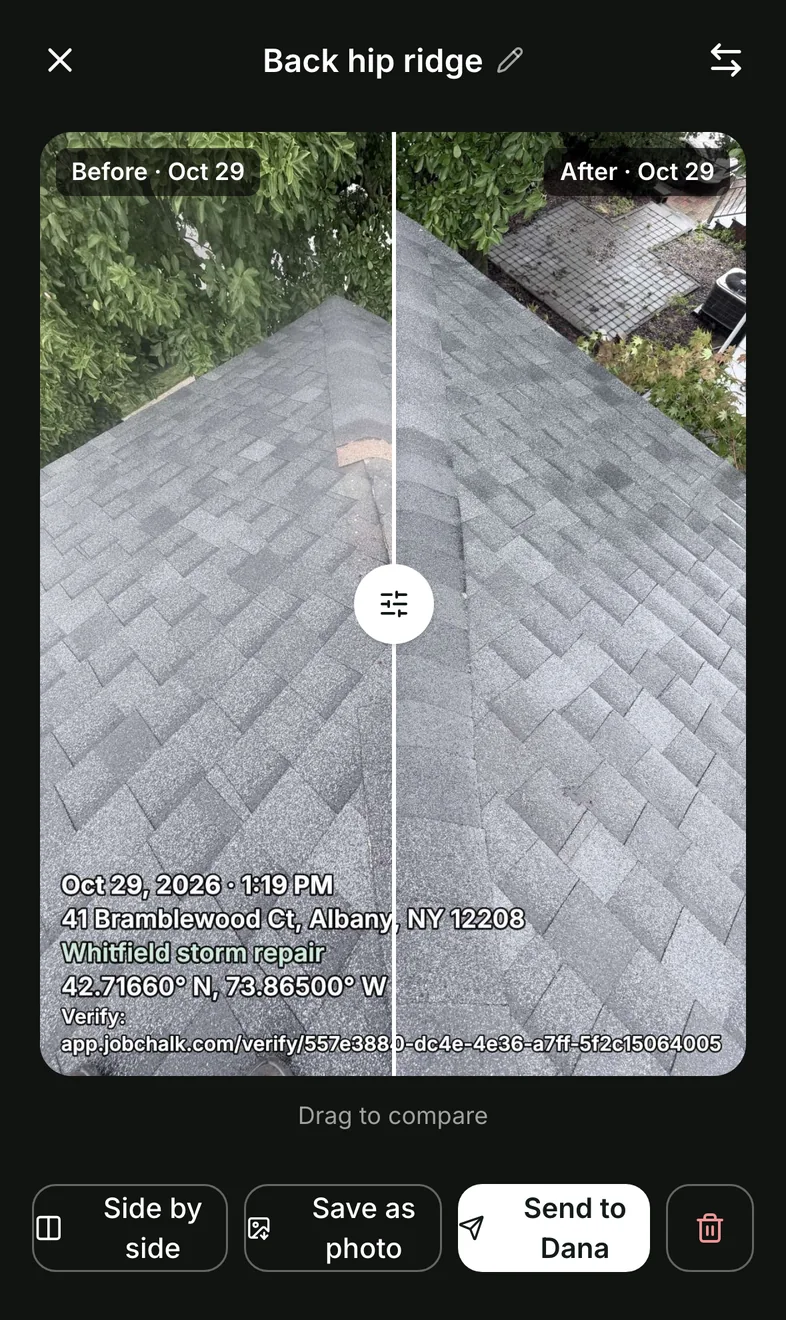
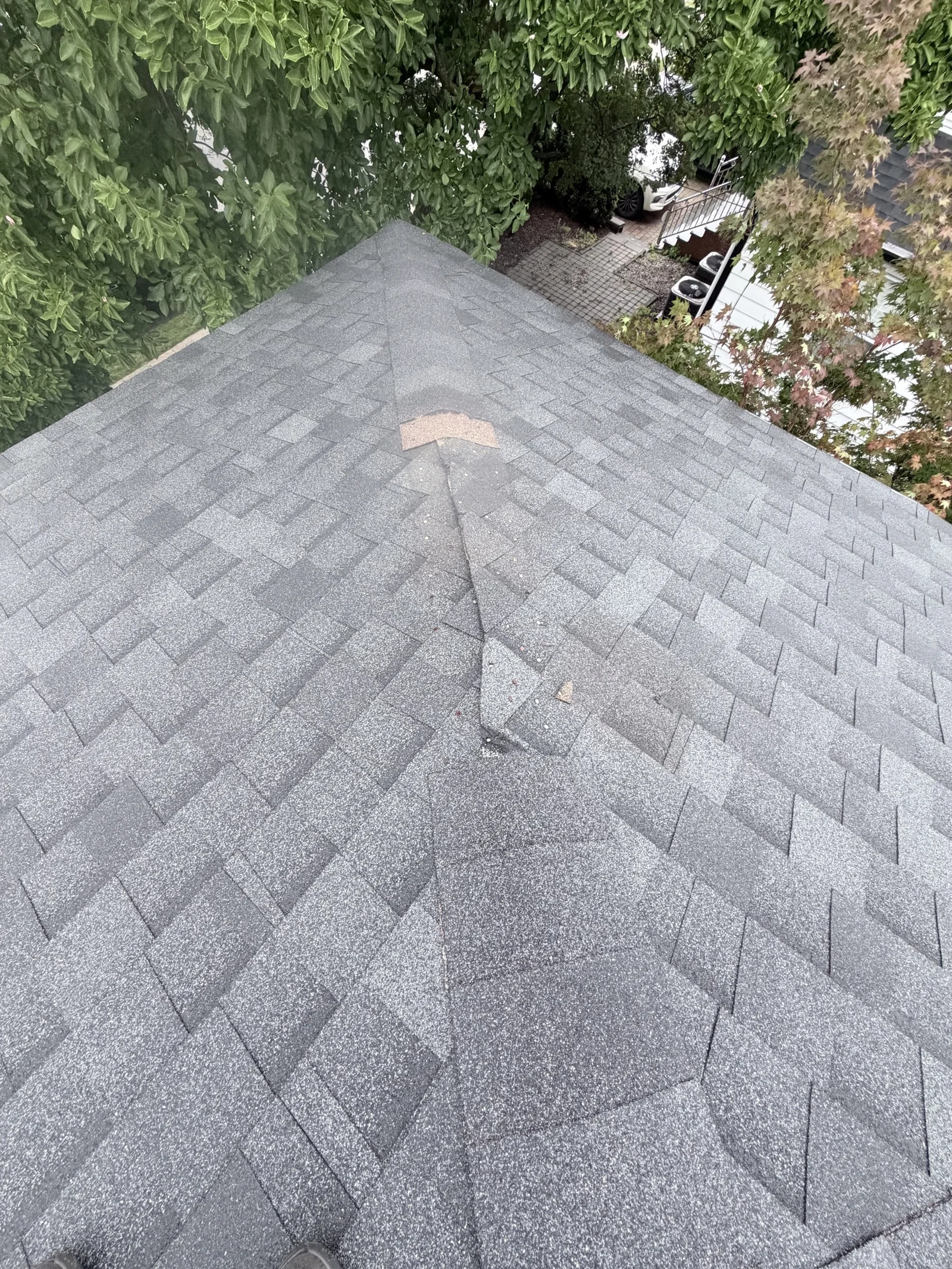
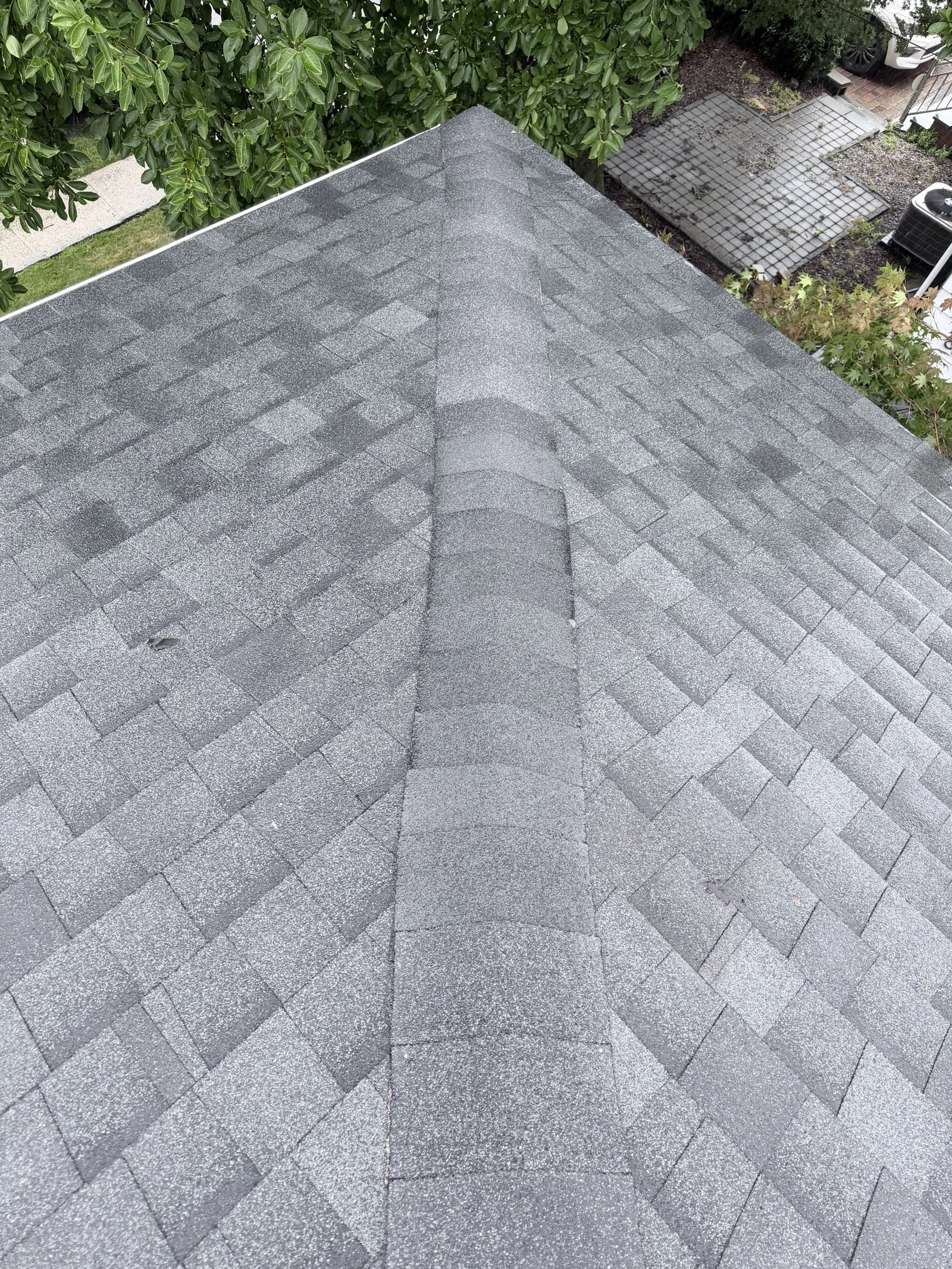 BeforeAfter⇆Oct 29, 2026 · 1:19 PM
41 Bramblewood Ct, Albany, NY 12208
Whitfield storm repair
42.71660° N, 73.86500° W
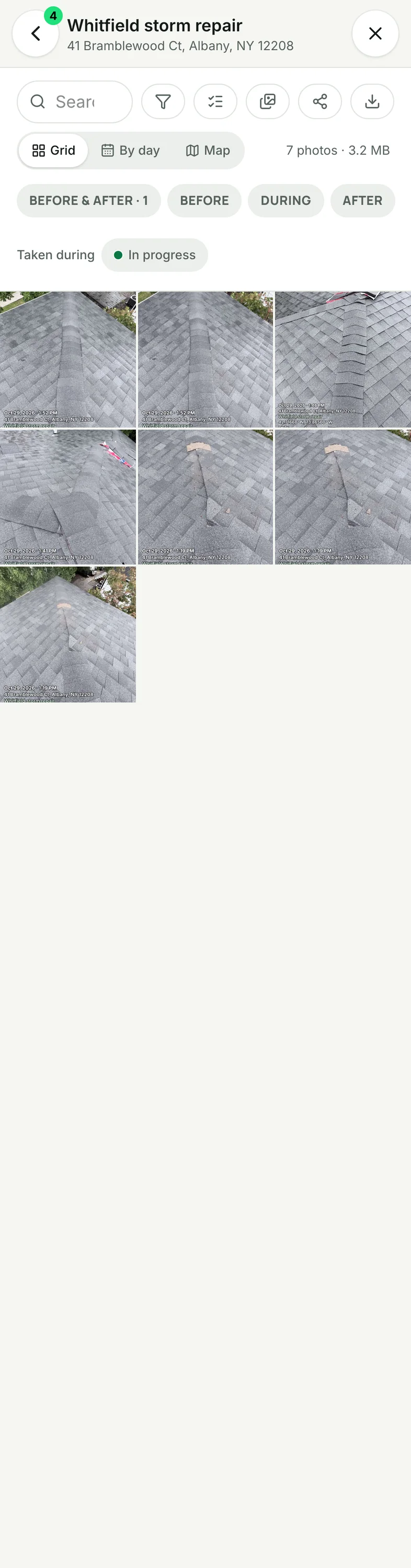
Every photo of the job, filtered by phase and tag.
Reviews
More Google reviews, asked at the right moment, and every review answered from the same place you talk to the customer.
They came the day after the storm, sent photos of everything, and fixed the ridge in one afternoon.
Ask at the right moment
- Automatic ask 2 hours after a job is marked done
- Or one tap from the job or the customer's thread
- Sent on the customer's app, with a short link
- No texts 9 PM to 9 AM
Follow up, never nag
- 2 reminders, on day 3 and day 5
- They stop the moment the link is opened
- Never twice for one job; 90 days per customer
- "Asked Oct 29 · Opened" on the job
Answer every review
- Each Google review in the customer's thread
- Post, edit or delete your reply from the Inbox
- Alert on 1 to 3 stars, to whoever you pick
- A drafted reply you edit; nothing posts by itself
More places to be found
- Google first; Facebook, Nextdoor, Houzz, Angi, BBB, Thumbtack links
- "Google only" or "let them pick"
- A QR card to leave behind on the job
- Your rating and review count on the Reviews screen
After the review
- Short surveys after the job
- Referral asks to happy customers
- Repeat-work reminders
Crew
Who's at which job, since when, and for how long. Clock in on site, timesheets that fill themselves, and every worker's day at a glance.
Clock in on site
- One tap on the job, or from "You're at Whitfield storm repair" when they arrive
- Automatic clock in and out at the job, if the worker turns it on
- Company rules: clock photo, who gets alerts
- No route tracking, nothing off the clock
Checked for you
- Location: off site or missing, flagged
- Time: late in or early out against target times
- Clock review by day, "Needs attention" first
- Admins fix a missed clock in; every fix is logged
Crew Day
- Each worker's day as a line, a color per job
- Hours at jobs, at the shop, elsewhere
- Yesterday fills itself in; he confirms it each morning
- Basic, tap to check in, or automatic: his choice
Timesheets
- Weekly roster per person, "Didn't show"
- Hours with breaks taken out, overnight shifts
- Per person and per job
- Export to CSV for payroll
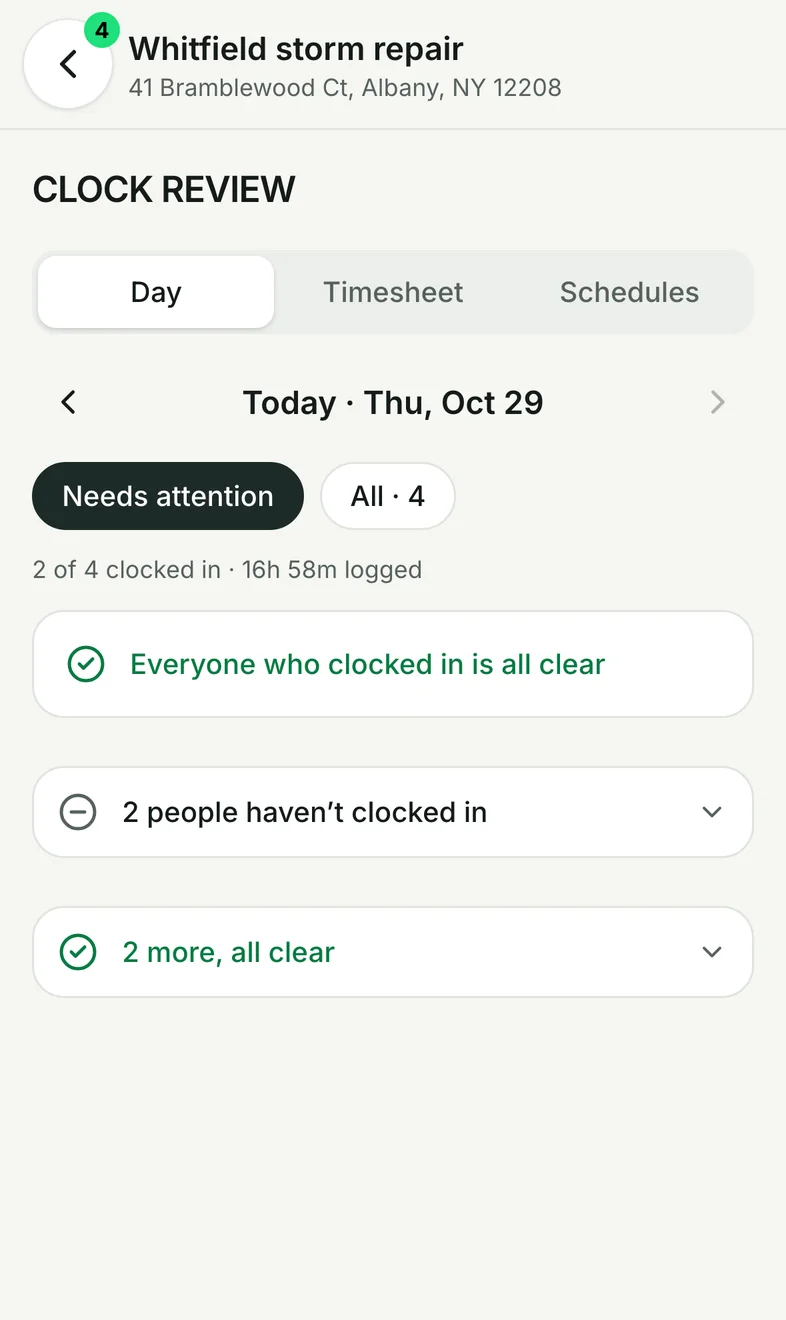
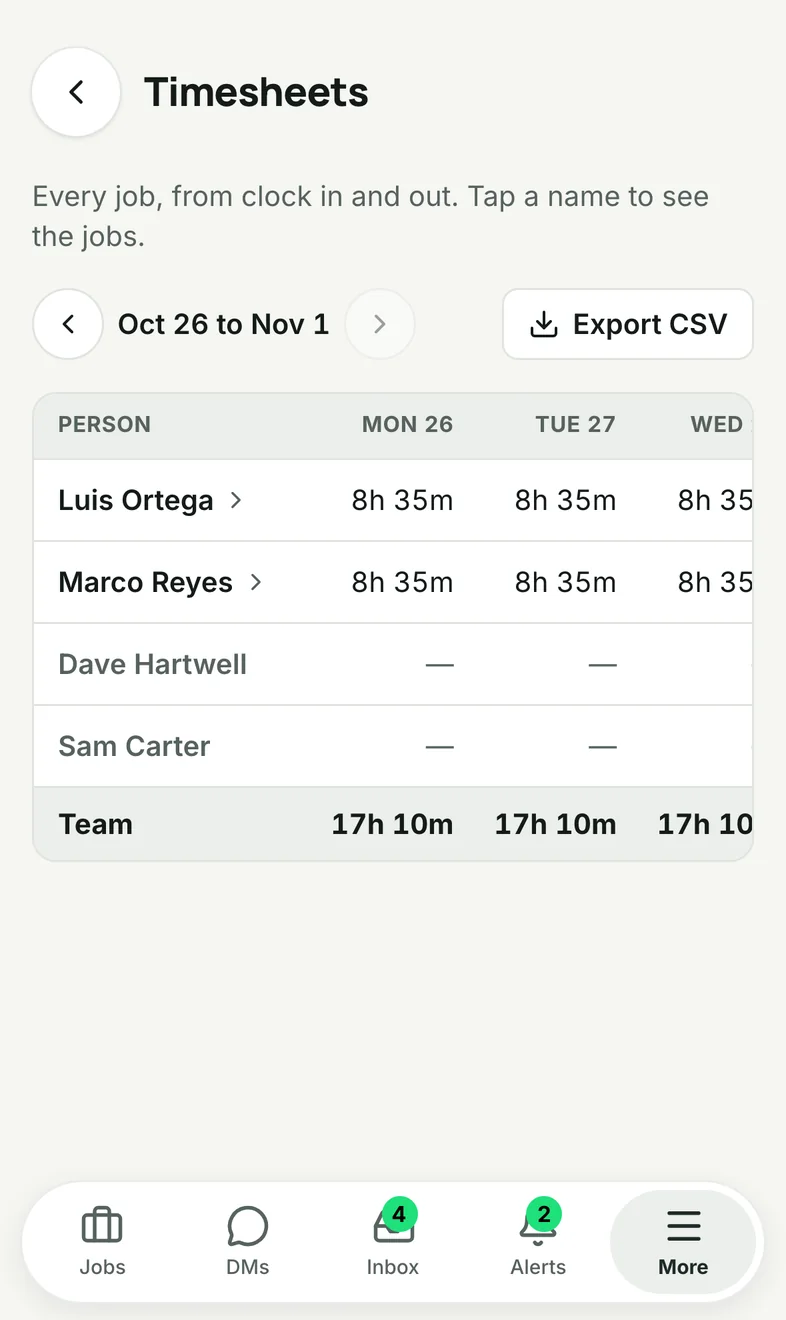
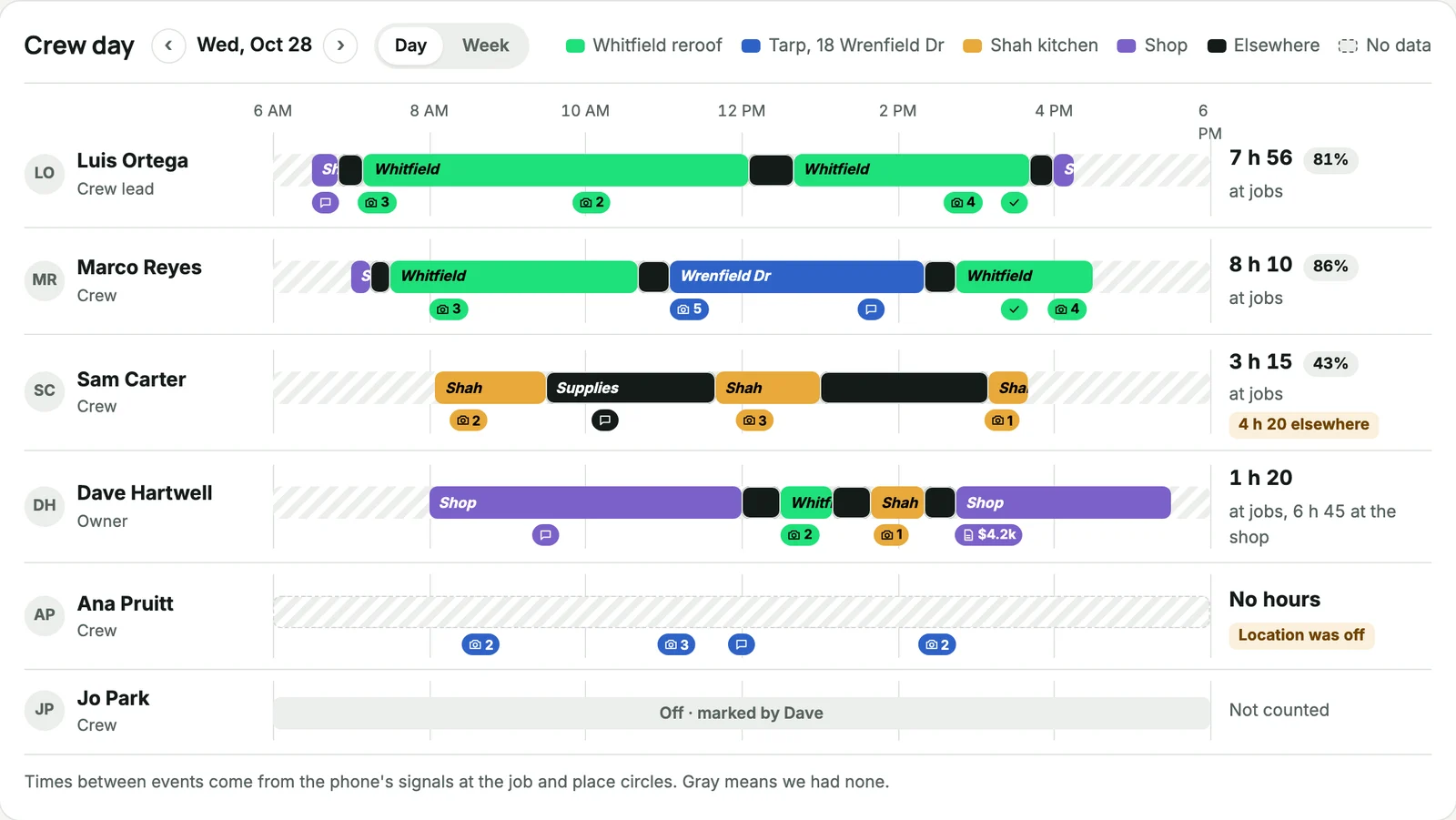
Crew Day: everyone's Wednesday, a color per job, hours at jobs per person.
Chat
Every job has its own timeline: the crew's messages, voice notes and photos in order, for everyone on the job. Plus direct messages for the team.

The Whitfield crew chat, top to bottom.
One timeline per job
- Text, photos, videos, files
- Voice notes with a waveform, typed out for you
- Paste or drag photos in on a computer
- Reports and estimates show as cards with the total
Talk to the right person
- @mentions with an alert, even on a muted job
- Reply to a message, quoted
- Reactions with the full emoji picker
- Forward to another job or to the customer
Keep what matters
- Pin a message to the top
- Edit or delete within an hour
- Search one chat or every chat, jump to the message
- "Since you were here" on the job
Know it landed
- Typing, "Read" and ticks
- "Seen by" for admins
- Unread badges and the unread line
- Messages wait offline and send when you're back
Alerts that matter
- Mentions, pins, tasks, clock and photo flags
- Proposal opened, accepted, changes asked
- Assigned to you, customer waiting
- Push on phones and computers; mute per job
Every language
- Each person reads the chat in their language
- The original is one tap away
- "Catch me up" on a job you missed
Quotes
Estimates and proposals priced from your own price book, sent on the customer's app, accepted and signed on their phone.
Price book
- Your items with cost, markup, unit, photo
- Kits: a set of items added at once
- Starter lists for 9 trades
- Spreadsheet import and export, up to 2,000 rows
Build it fast
- Walk the job and talk; get a priced draft from your photos and voice
- Every drafted line shows the photo or voice note it came from
- Sections, tax per line, a discount, a deposit
- Measurements from photos as quantities
Win the job
- Good, better, best with a recommended option
- Optional lines the customer ticks, live total
- Job photos on the lines; attachments
- "Opened 3 times" so you know they looked
Signed and started
- Accepted with an email code, typed name and consent
- Deposit paid online when they accept
- Countersign; a certificate with IP and device
- One tap turns the accepted lines into tasks
- Reminders on day 3 and day 7
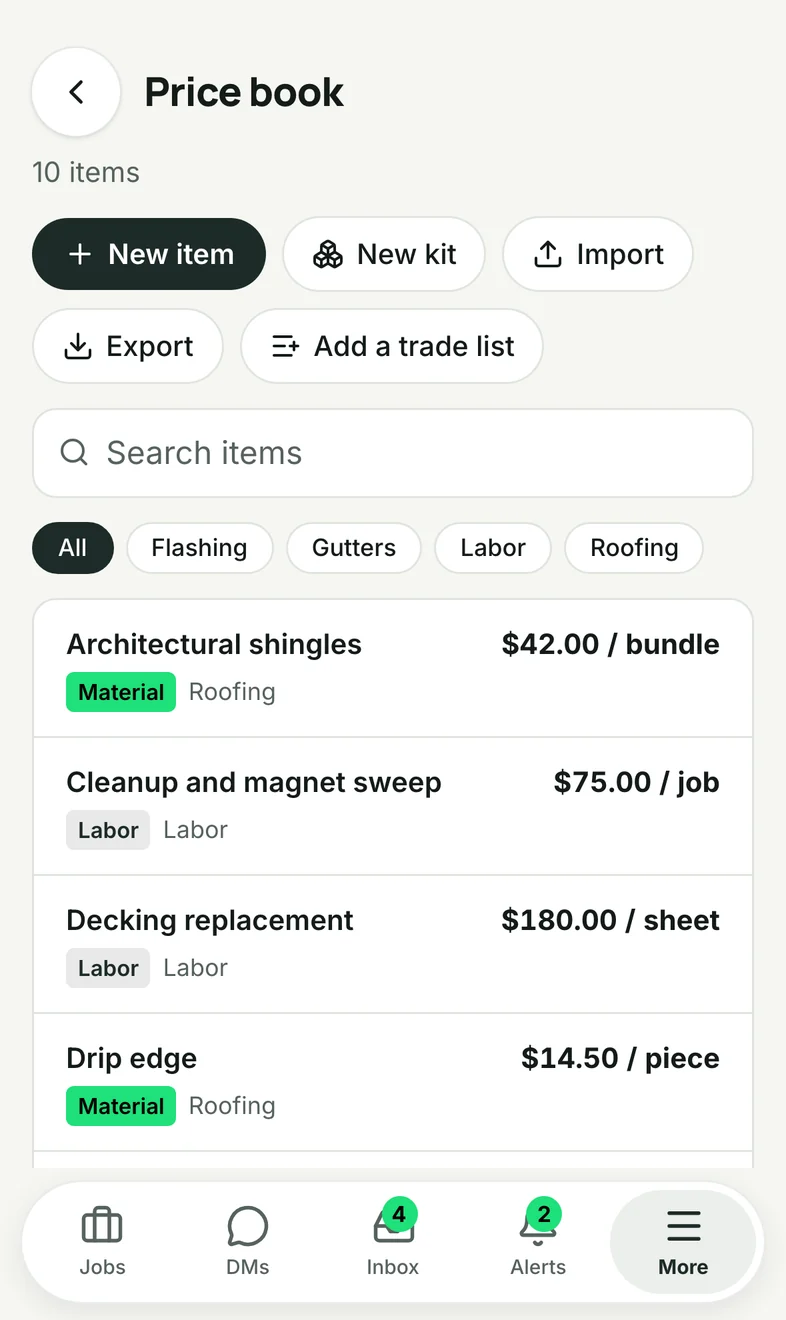
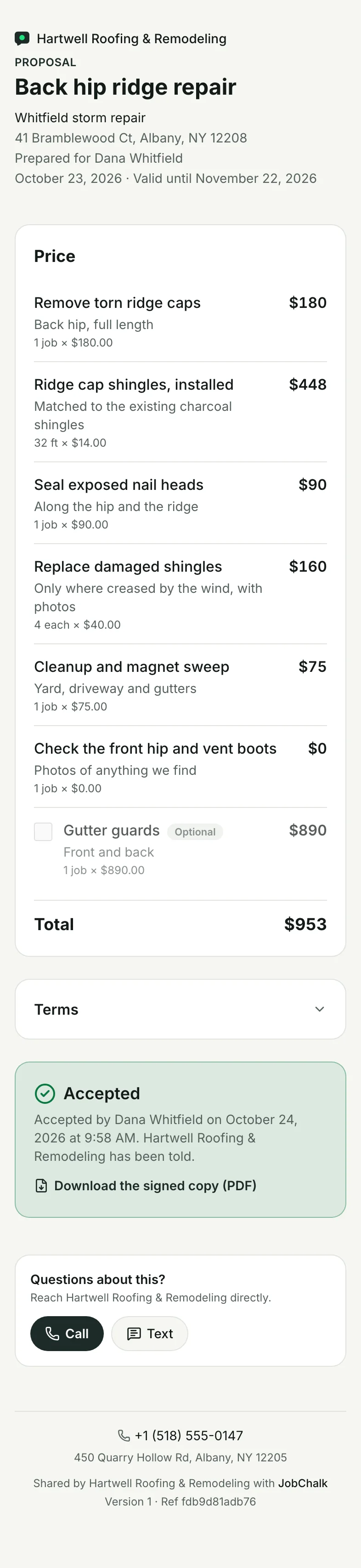
Your price book, and the proposal Dana signed on her phone.
Reports
The job's photos and work, turned into a report for the customer, the adjuster or the office. A link they open on their phone, or a PDF.

Dana's report for the back hip ridge, as she sees it.
Start in one tap
- Today, Since last report, Everything or Empty
- From a photo selection, or straight from a camera session
- Walk the job and talk: the report writes itself, you edit
What goes in
- Photos and before and after pairs with a slider
- Tasks and checklists with answers, signatures, proof
- Notes, headings, voice descriptions
- Codes and measurements from the photos
Looks like yours
- PDF in Letter or A4, 1, 2 or 4 photos per row
- Cover page, page numbers, your logo
- Templates: Daily log, Inspection, or your own
Daily log
- One per job and day
- Crew and hours filled from the clock
- Weather, issues, delays, notes
Send it
- A link with the PDF; expiry, verify email first
- "Share photo details" adds capture time and GPS for insurance
- Sent on the customer's app
- "Send today's update" in one tap
Jobs
The job, its tasks and checklists, the customer record, and the customer's own page.
The job screen
- Latest photo or map, status, "Day 7"
- Customer card: Message, On my way, Call, Ask for a review
- "Since you were here", "Needs you"
- Statuses: Estimate, In progress, On hold, Completed, your own
Tasks and checklists
- Assignee, due date, overdue alerts, My tasks
- Photo proof: "Done by Ana at 3:10 PM", stamped
- Checklist answers: yes/no, pass/fail, number, date, signature, photo
- Job templates: statuses, labels, tasks, checklists, camera settings
Find the job
- "You're here": the job you're standing at, first
- Map of every job, pins by status
- Labels, filters, favorites, archive
- Google address suggestions and pins
Customers
- One profile: conversation, jobs, notes, people, phones, emails
- Their own job page, nothing to install
- Watchers for an adjuster: see everything, can't post
- Merge duplicates
Your account
- Your logo on every link, report and email
- Sign in with an emailed code, Google or Apple
- Full export: messages, photos, originals, PDFs, timesheets
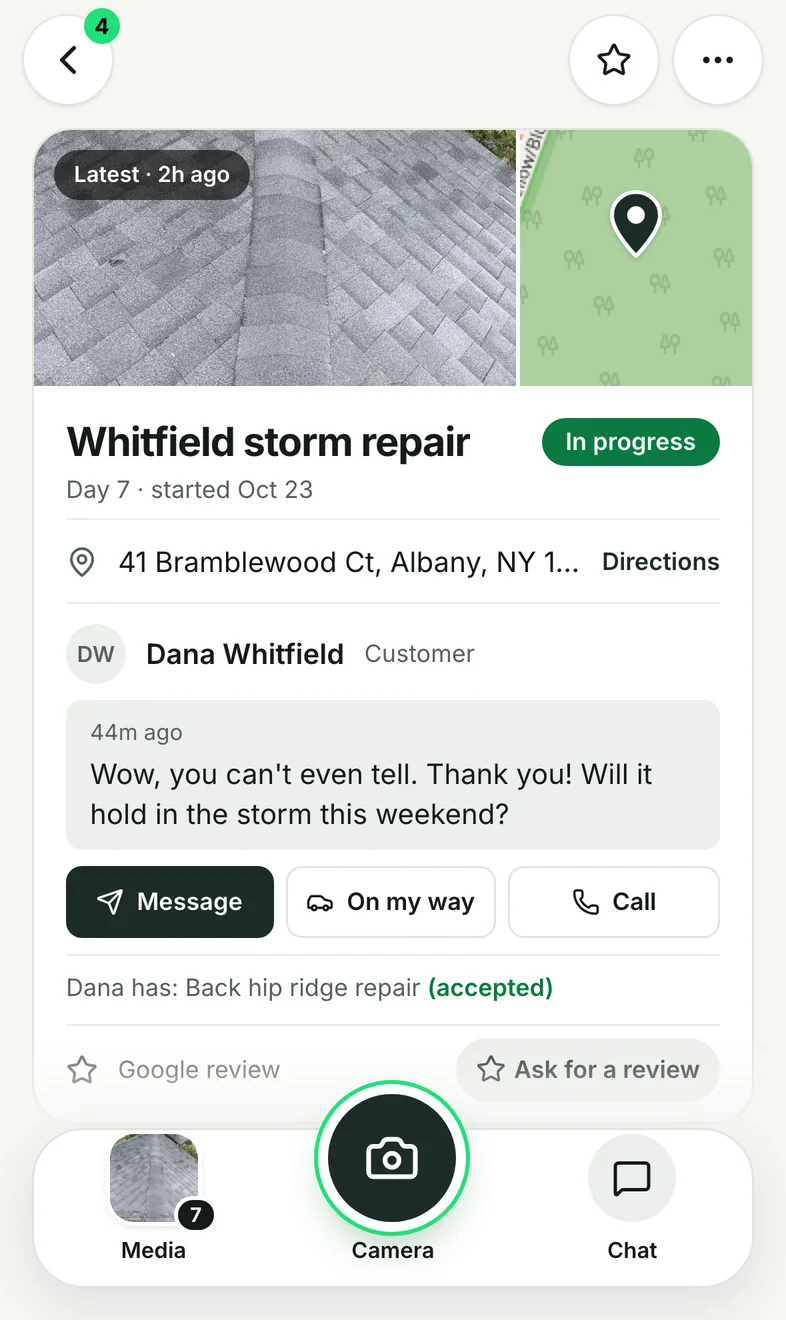
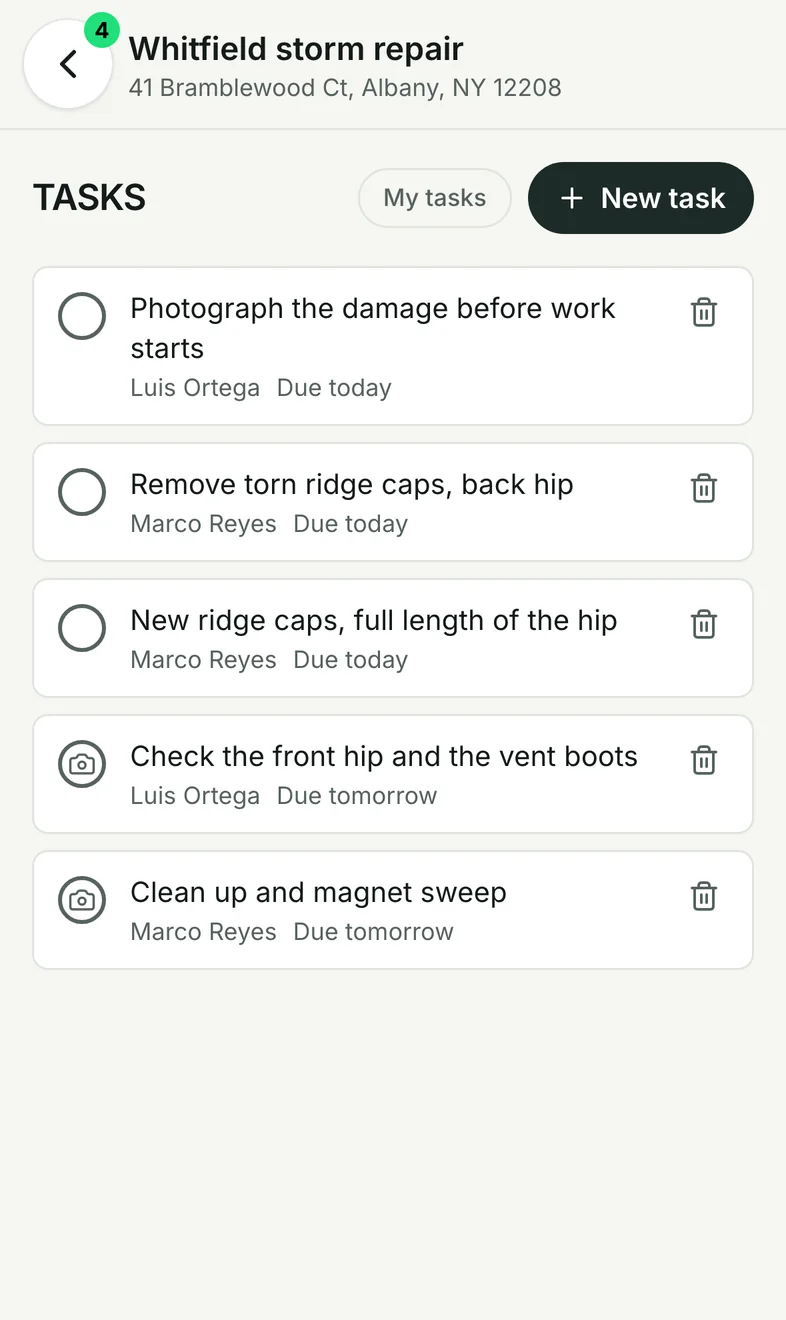
The job screen, and its tasks.