Blog · November 1, 2026
Send the customer a job report before you leave the driveway
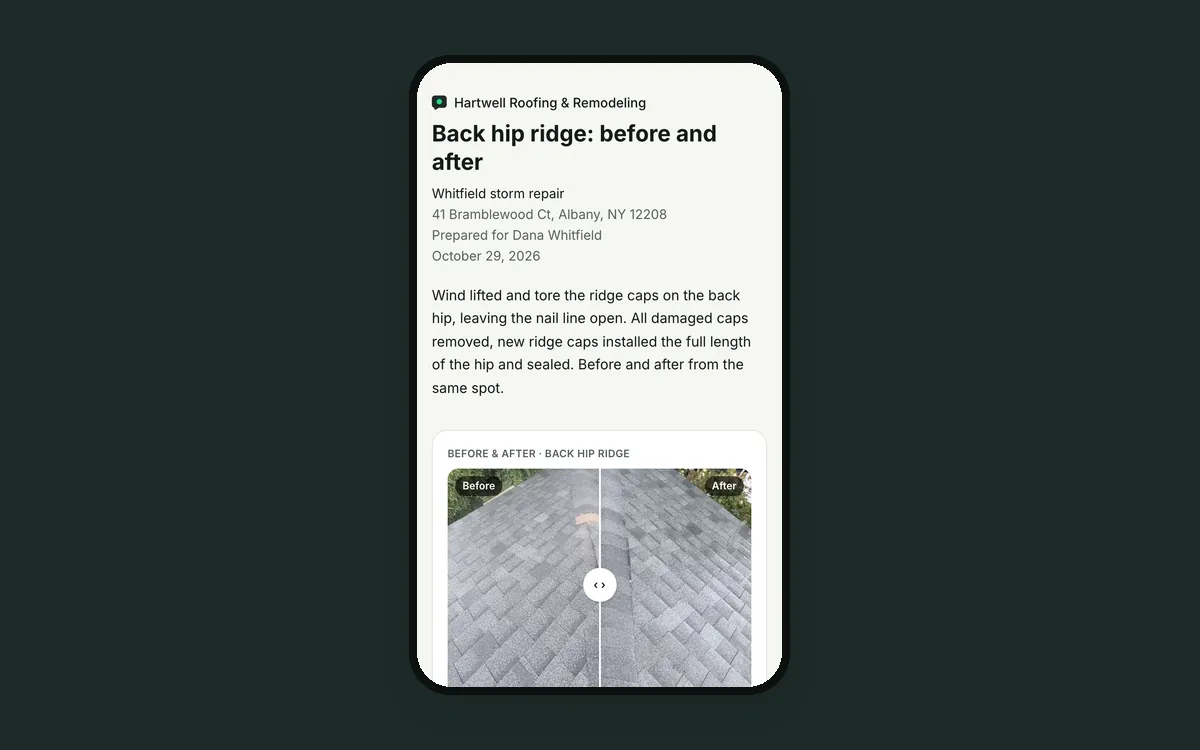
Dana works all day and can't see her roof. At 6 PM she texts: "How did it go today?" Luis is driving home. Sam in the office has nothing to send her. Dana calls the next morning, a little worried.
A week later her insurance company asks for documentation. Sam spends two hours copying photos into a document, typing captions and guessing dates.
Why reports get skipped
Making a report the usual way means collecting photos from phones, pasting them into a document, writing captions and saving a PDF. That's an evening of work, so it only happens when someone demands it.
But a short update after each day is what makes a customer trust you. And when the insurer asks, the report you already sent is the proof.
How JobChalk solves it
The photos are already in the job, so a report starts from them.
Start in one tap. Pick Today, Since last report, Everything or Empty. Or select photos in the job and make a report from exactly those. Or walk the job with the camera and turn that session into a report.
What goes in:
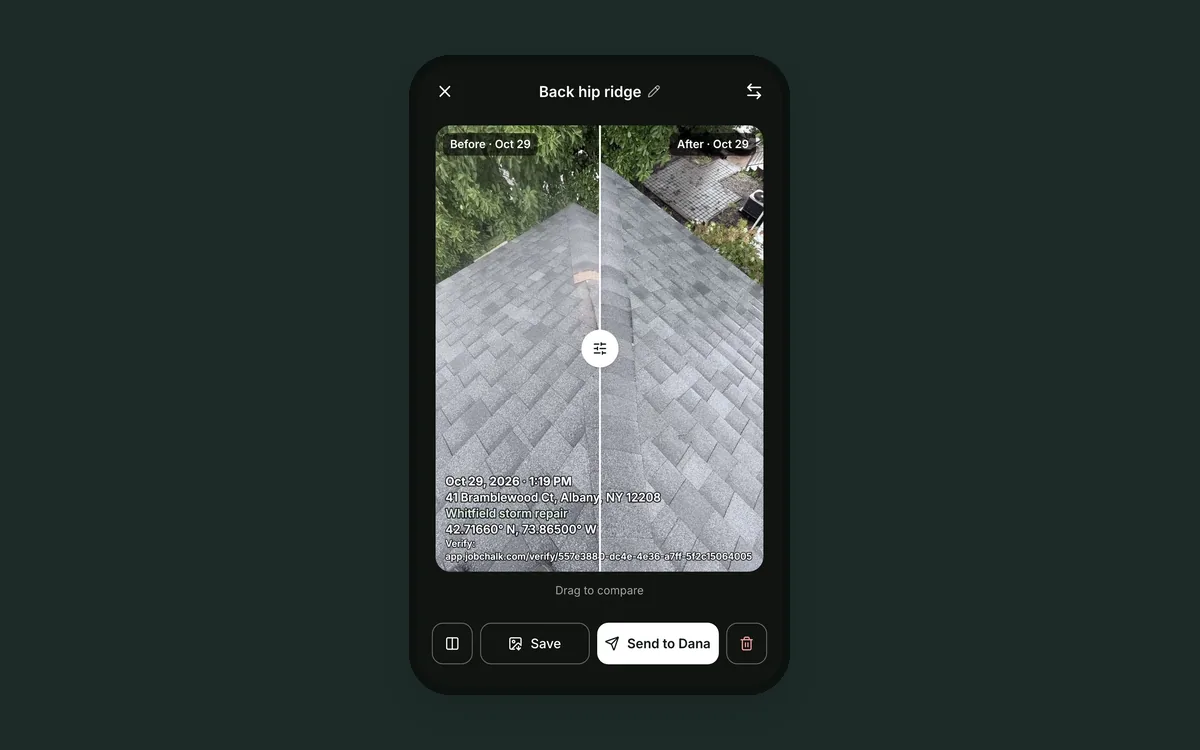
- Photos, and before and after pairs with a slider.
- Finished tasks and checklists, with answers, signatures and proof photos.
- Notes, headings and voice descriptions.
- Codes and measurements from the photos.
Looks like yours. Your logo and a cover page. Letter or A4. One, two or four photos per row. Page numbers. Use the Daily log or Inspection template, or save your own.
A daily log for every day. One per job and day. The crew and their hours fill in from the clock. Add issues, delays and notes. Open it again later in the day, and new photos and finished tasks are added.
Send it right away. Every report is a link with a PDF download:
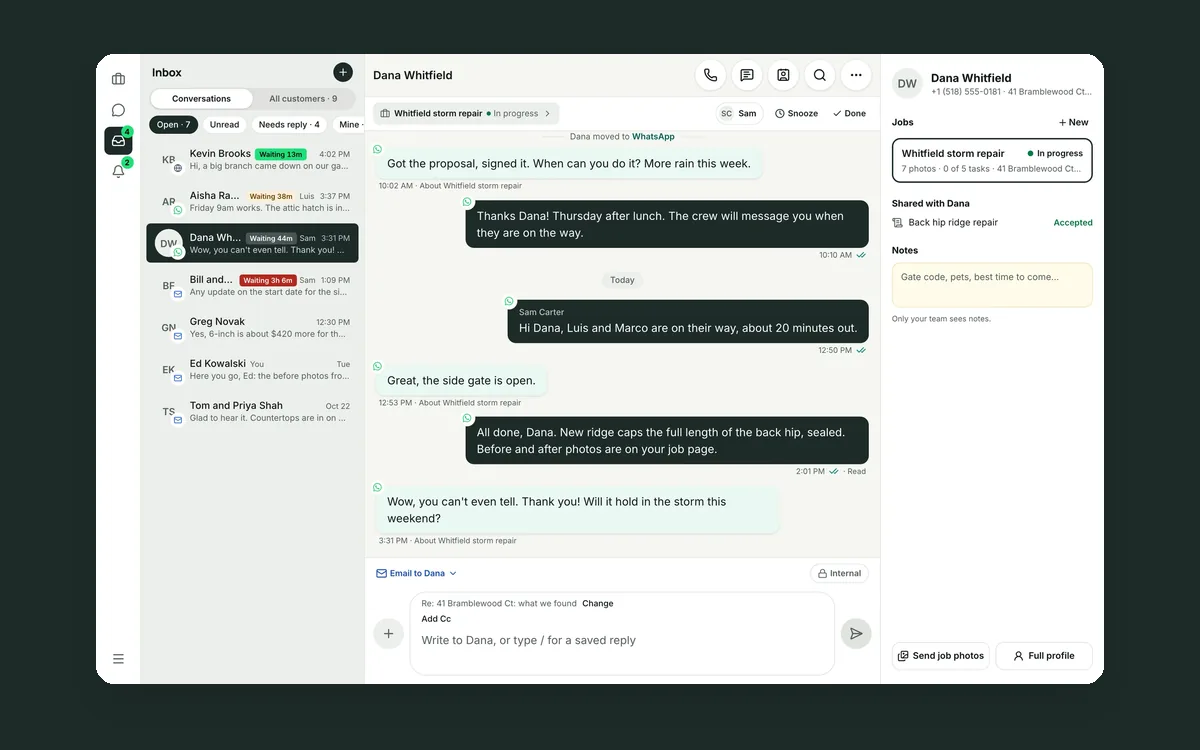
- Sent on the app the customer uses with you, and shown in the job chat as a card.
- "Send today's update" in one tap at the end of the day.
- "Share photo details" adds the capture time and GPS location under each photo, for insurance.
- Optional: an expiry date, no downloads, or "verify email first" so only the right person can open it.
Dana gets the day's photos before Luis is home. When the insurer calls, Sam sends the link that already exists.
 Before and after photos that win the next job
 Your customer conversations belong to your company, not to a phone
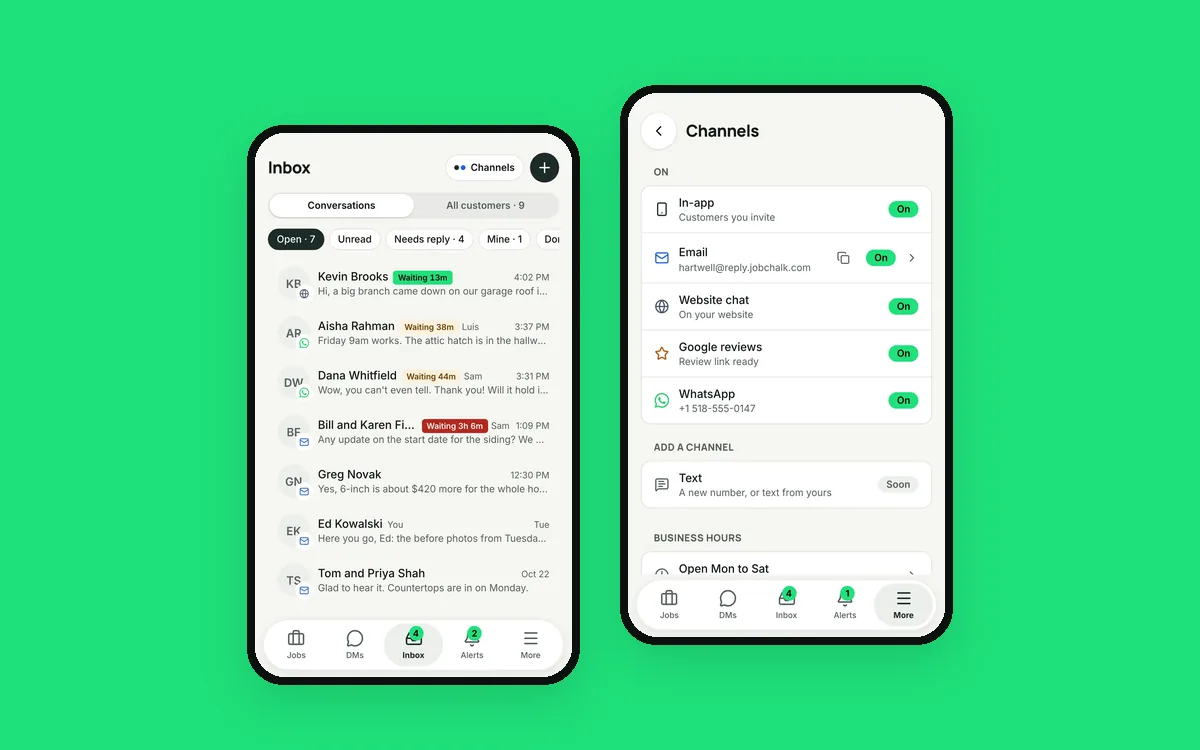 Your customers use six apps. Your team needs one inbox.