Blog · November 1, 2026
Your customers use six apps. Your team needs one inbox.
A storm comes through. Dana Whitfield finds you on Google and sends a message through your website at 10 PM. The next morning she texts the number on your truck. That afternoon she sends roof photos on WhatsApp, because that's where her photos are. Two days later she asks a question on your Instagram.
One customer, one roof, four apps. Your office watches two of them. Nobody sees the photos until Friday.
Why it costs you
Customers don't pick an app to suit you. They use whatever is in their hand. Every app nobody watches is a door where leads wait and go cold.
When the messages are split up, nobody has the whole story. The photos are in one app, the gate code in another, and "can you come Tuesday instead" in a third. Checking every app every hour works until you get busy, which is exactly when it matters.
How JobChalk solves it
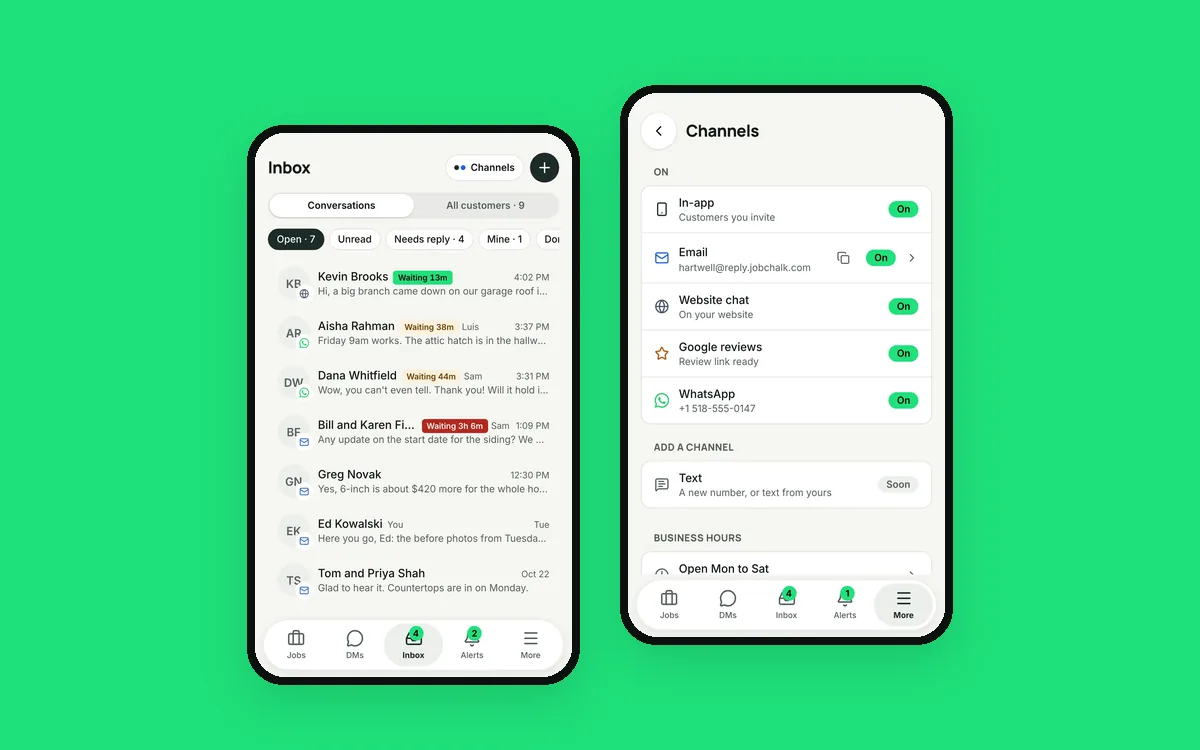
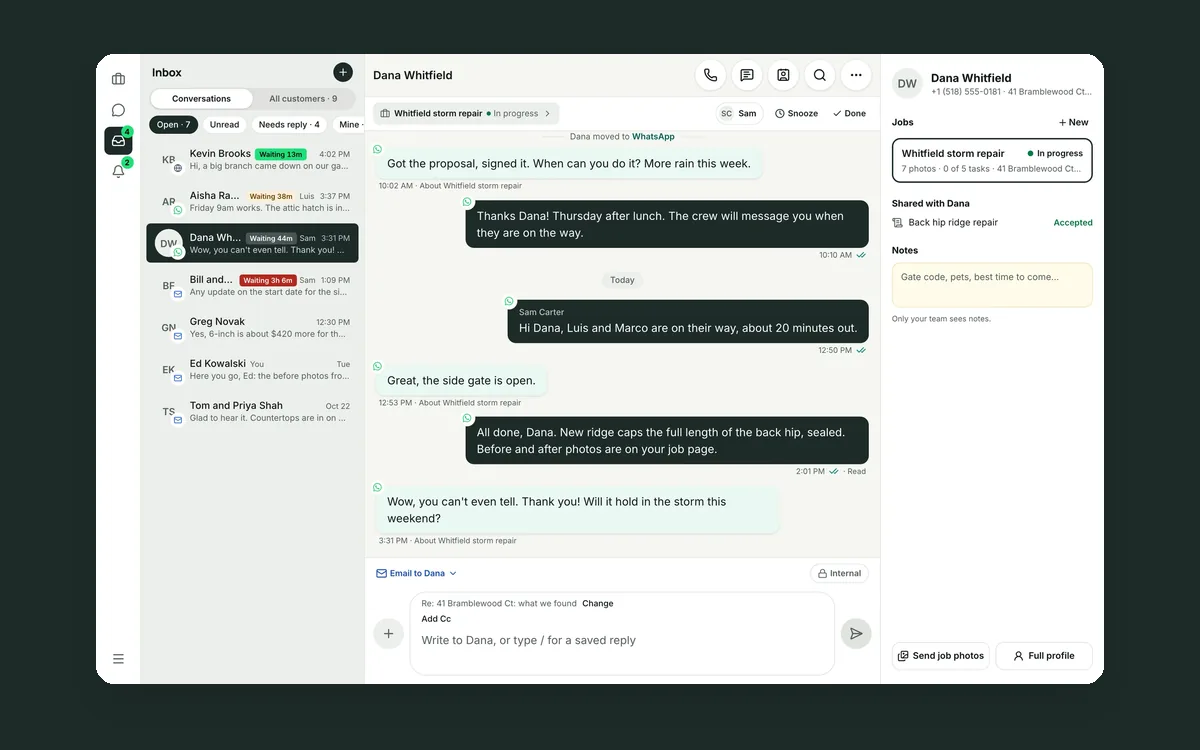
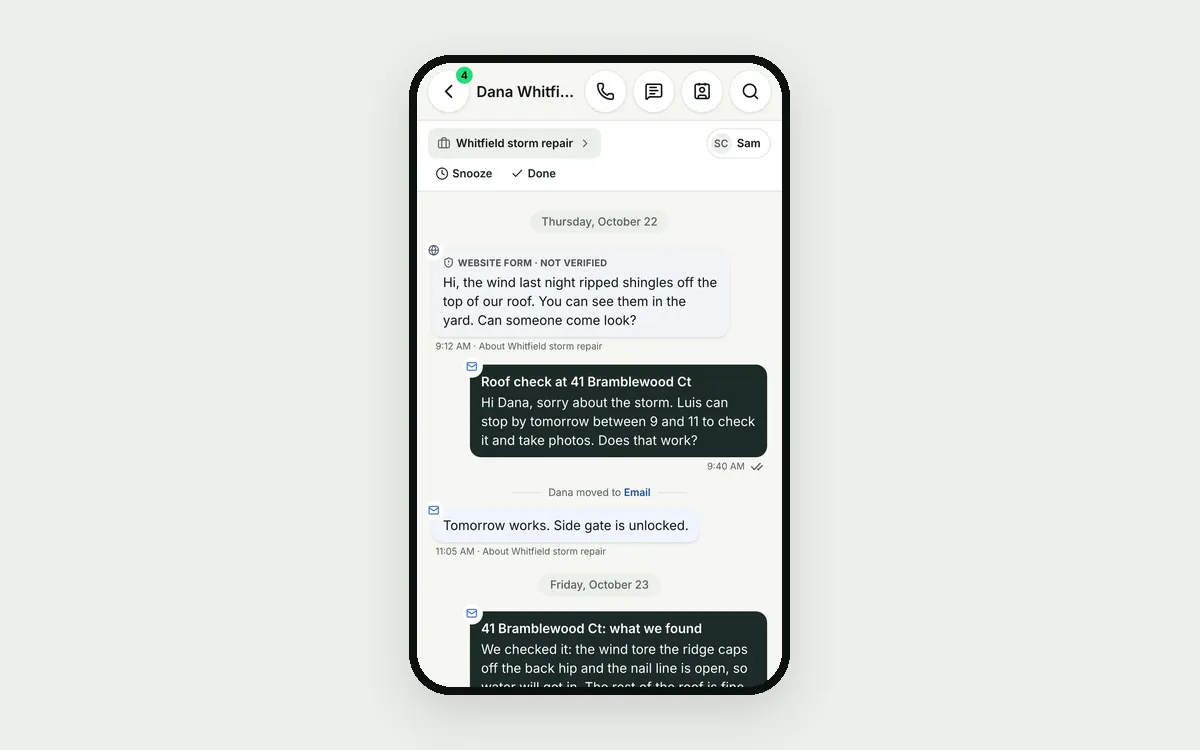
Every customer message lands in one Inbox: text, email, WhatsApp, Facebook Messenger, Instagram, Google reviews and your website chat. Each customer has one conversation, with every app mixed in, in the order it happened.
A small icon on each message shows which app it came on. When Dana switches, a line in the conversation says so: "Dana moved to WhatsApp." You always know where the last message went.
A customer can have several people, phones and emails. Her husband's number and her work email land in the same conversation, because they're saved on her profile.
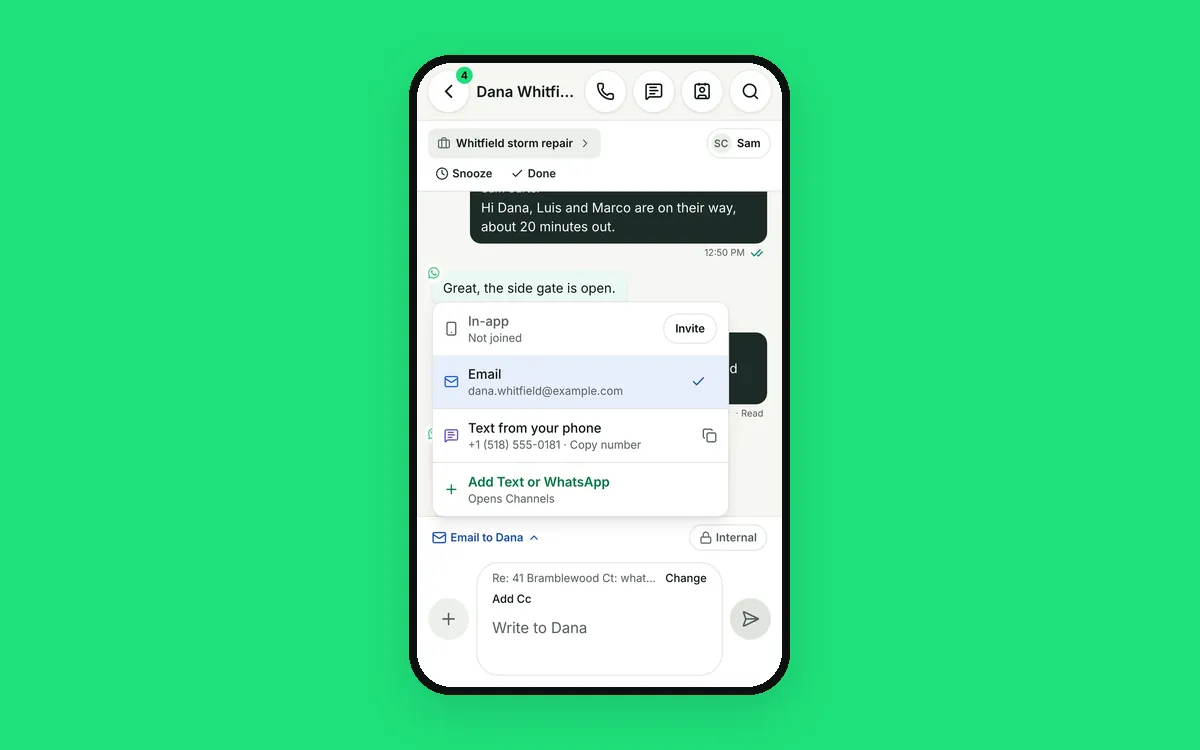
When you answer, the reply goes back on the app she used last. You can switch to another app in one tap, using the address already on file. On WhatsApp, the box shows how many hours you have left to reply.
New people show up marked "New." One tap keeps them, merges them into a customer you already have, or sends them to spam. When it's real work, "Start a job" opens a new job with the customer filled in, and the photos she sent move into it in one tap.
So nobody waits too long:
- Every conversation shows how long the customer has been waiting: amber at 30 minutes, red at 2 hours.
- The Inbox badge counts customers waiting, not messages.
- Someone gets an alert when a customer waits too long during business hours.
- After hours, an automatic reply tells them when you'll be back.
The office can answer everything from a computer. The crew lead can answer from the roof on the phone app. Same Inbox, same conversations.
 Your customer conversations belong to your company, not to a phone
 Your customer is talking to four different people
 One customer, five people on your team, one conversation