Blog · November 1, 2026
Estimates built from the job, signed on the customer's phone
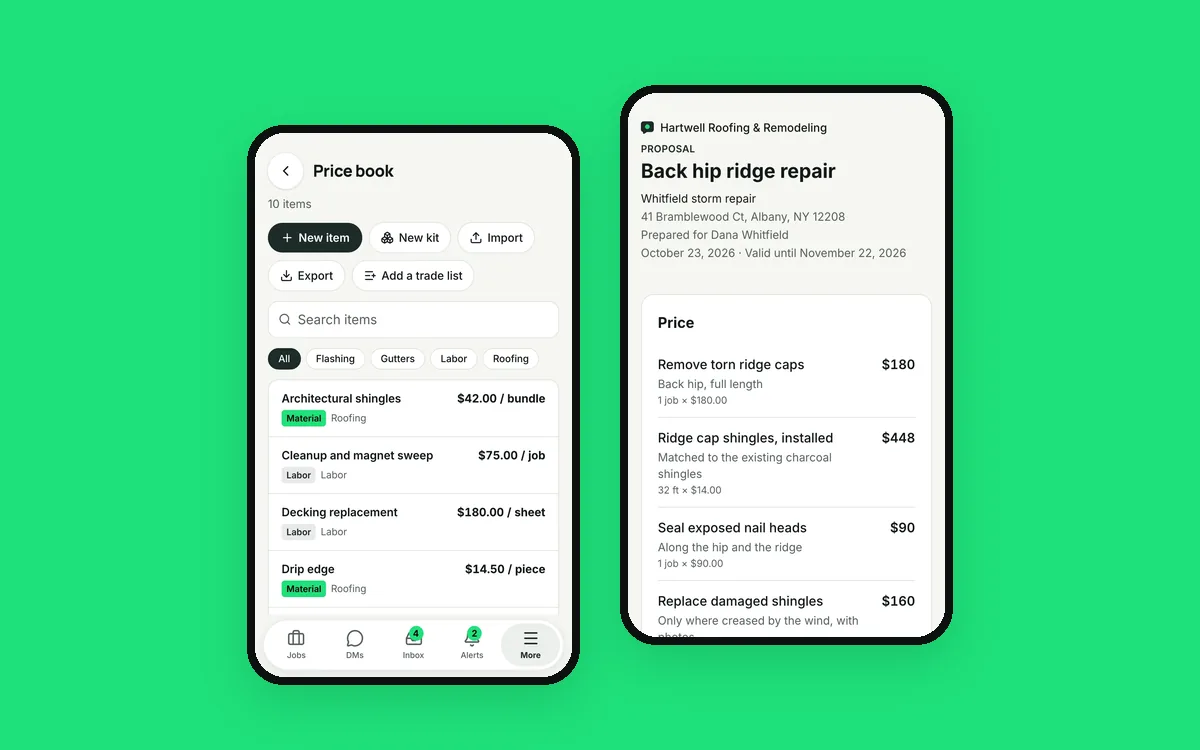
Dave walks the Whitfield roof on Tuesday, takes photos and scribbles numbers on a notepad. That night he opens the estimate tool, retypes the address and every line, looks up prices in a spreadsheet, saves a PDF and emails it.
Dana doesn't open it for four days, and Dave has no idea whether she has. Meanwhile another roofer sent her an estimate she signed on her phone the same afternoon.
What it costs
- Days. Retyping a site visit at night pushes the estimate to tomorrow, or next week.
- Mistakes. Prices copied from a spreadsheet by hand drift and get missed.
- Lost photos. The photos that explain the work stay on the phone.
- Silence. You can't tell if the customer opened it, so you don't know when to call.
- A slow yes. Print, sign, scan and send back loses jobs to whoever made it easy.
How JobChalk solves it
Estimates are built inside the job, where the photos and the customer already are.
Your price book. Save your items once, with cost, markup, unit and a photo. Group items into kits, so a full tear-off goes in with one tap. Start from a starter list for your trade, or import your own spreadsheet. Only the owner sees cost and markup.
Build it on site. Pick items from the price book, add sections, tax per line, a discount and a deposit. Attach job photos and files, like a spec sheet or a permit. You can hide line prices and show only totals.
Good, better, best. Offer options side by side and mark the one you recommend. Add optional lines the customer can tick, with the total updating as she goes.
Sent where she reads. The estimate goes to the customer as a link, on the app she uses with you, and shows in the job chat as a card with the total. You get an alert when she opens it. If she doesn't answer, reminders go out on day 3 and day 7, and stop the moment she does.
Signed on her phone. Dana accepts with a code sent to her email, her typed name and a consent box. She can also ask for changes or decline with a reason. You countersign, and your copy of the PDF has a certificate page with the time, IP address and device.
Locked once accepted. Nobody can change an accepted estimate, so what she signed is exactly what's on record.
Straight to work. Accepting moves the job to its first active status. One tap turns the accepted lines into the crew's tasks.
Dave can price, send and get the yes before he's back in the truck.
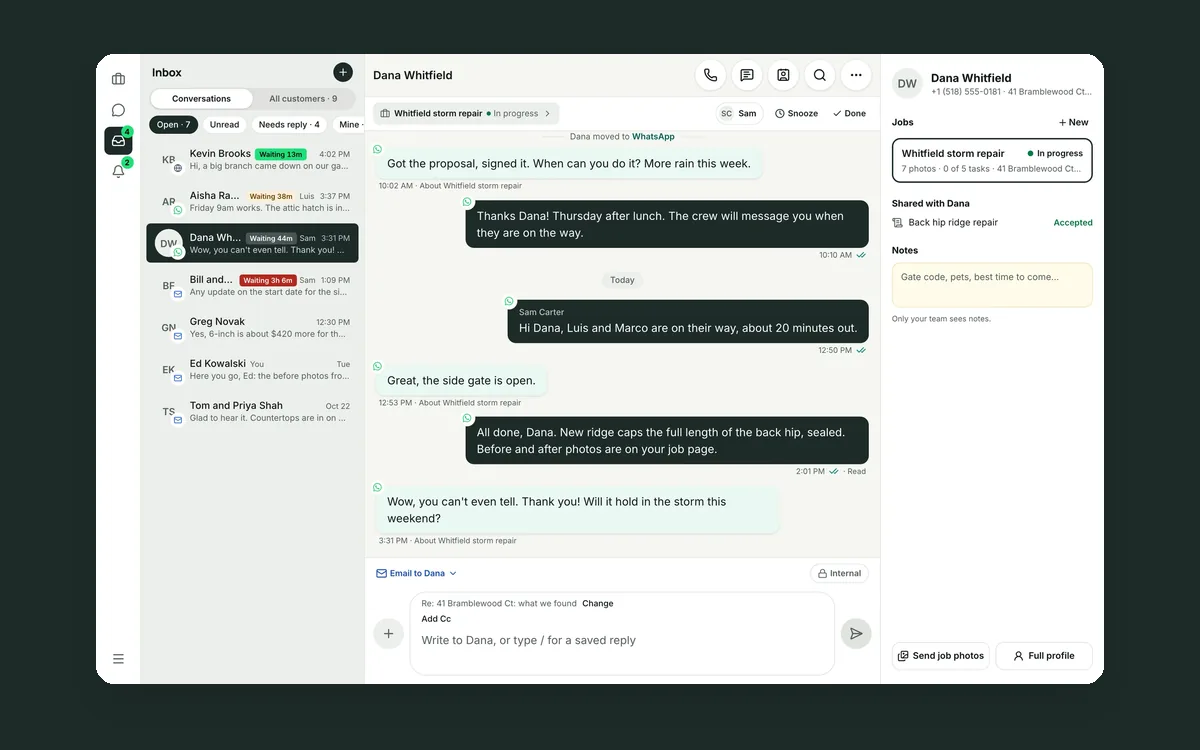 Your customer conversations belong to your company, not to a phone
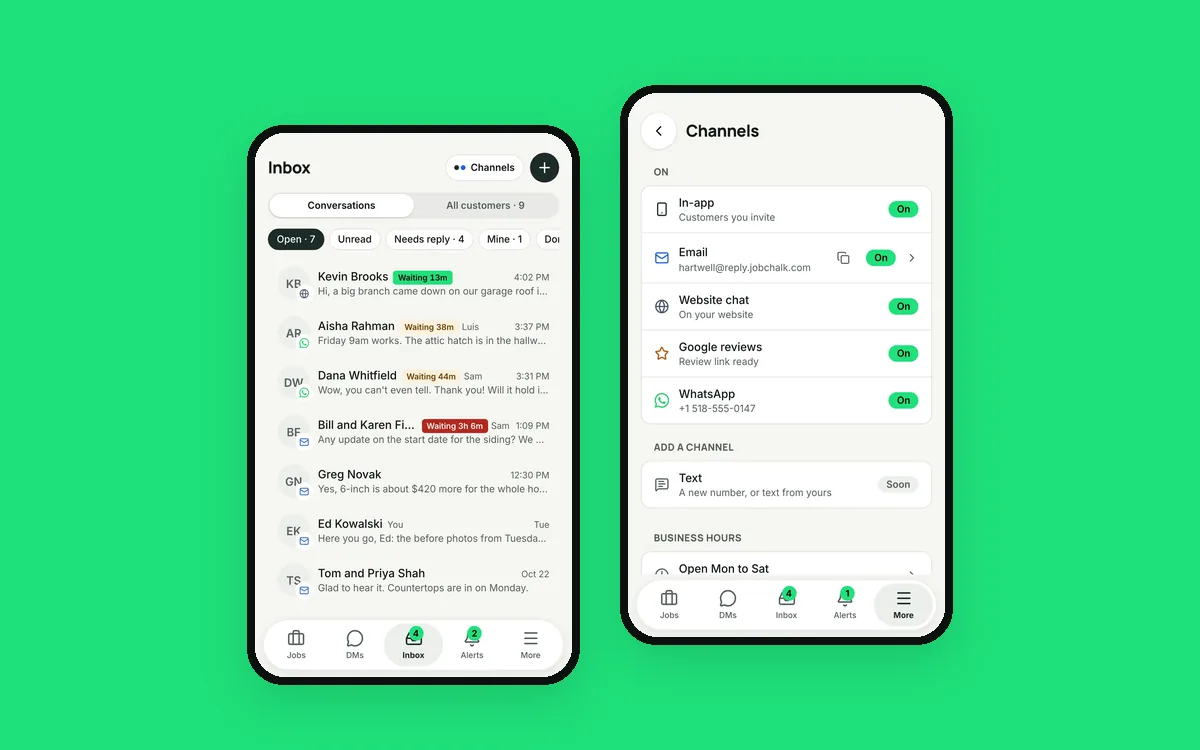 Your customers use six apps. Your team needs one inbox.
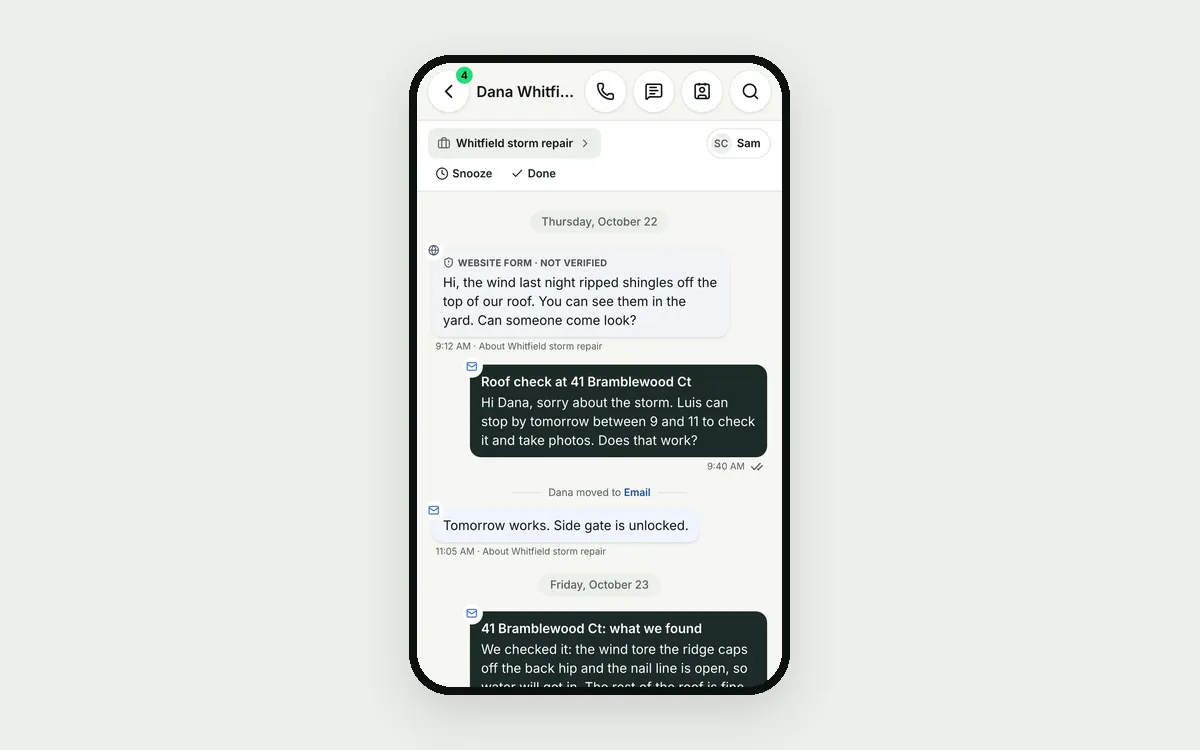 Your customer is talking to four different people